Synchronization of a Terminal with the Player
By following the steps described previously, the Terminal will be egistered. To synchronize the Terminal with the Player, you must access a previously created Terminal in which you want to synchronize.
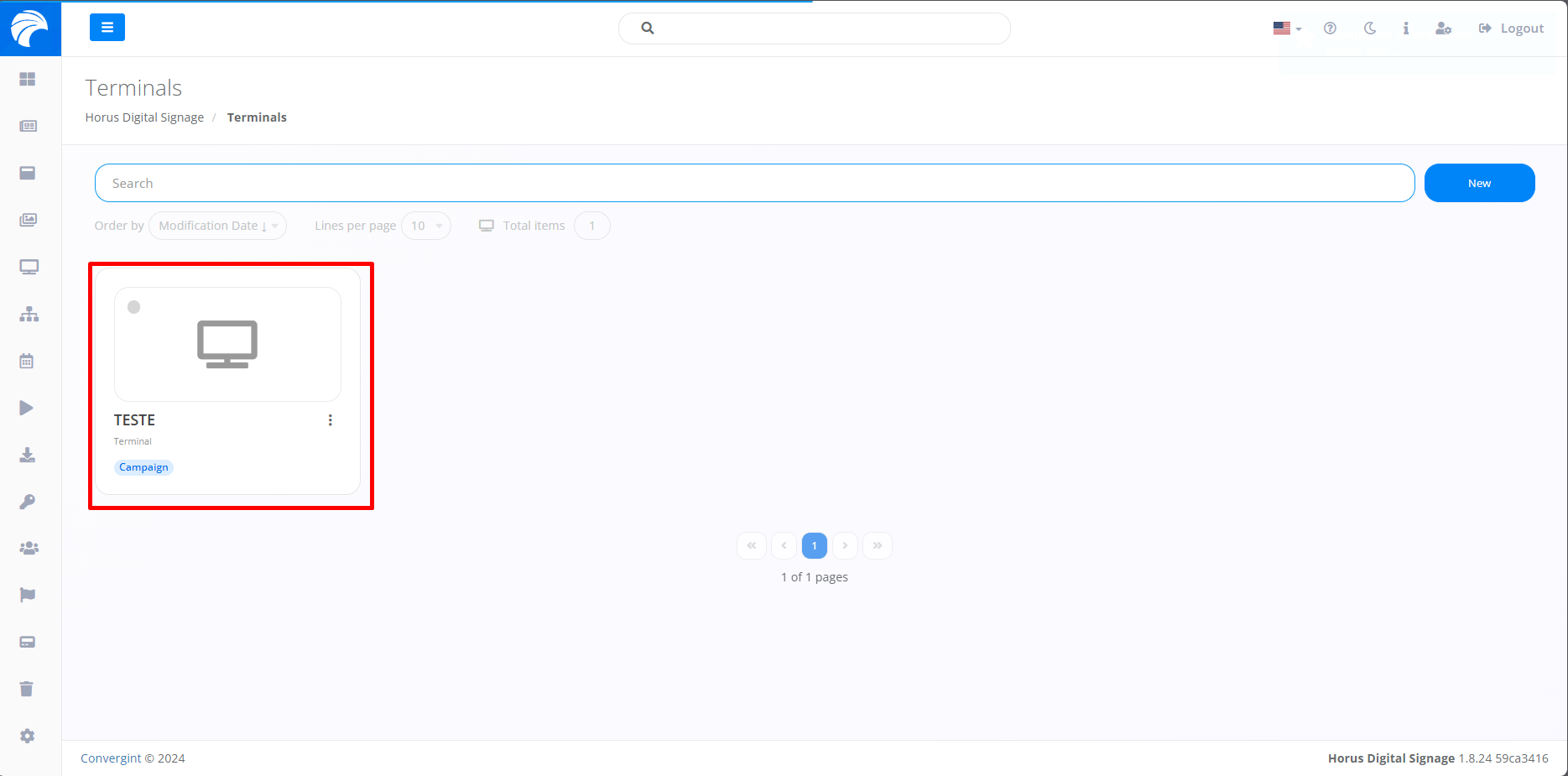
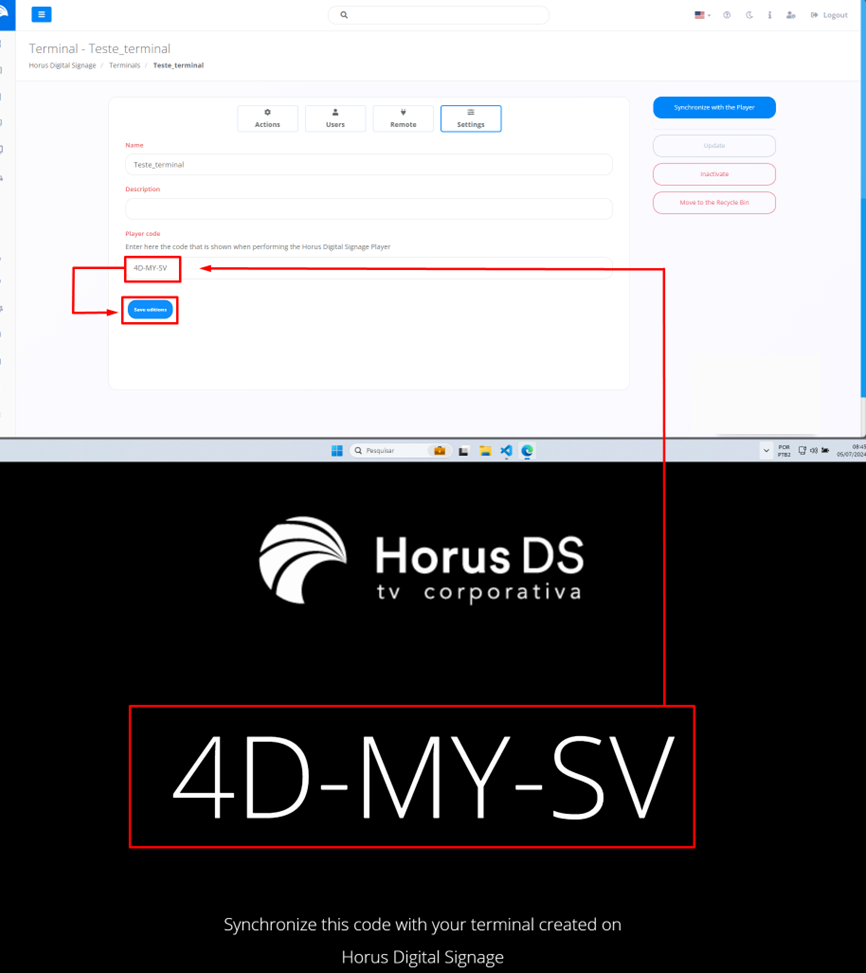
After creating or accessing a Terminal, it will be necessary to access the “Settings” option, when accessing the system it will display the Terminal Interface, in which it will be possible to synchronize with the Player, inserting code when running the Player. When entering the code, the system will check whether it is connected to the system, after verification, simply click on “Save changes”
Immediately, the Validator of the System will displays the "Synchronize with Player" option; if it appears, simply click to "Synchronize with Player".
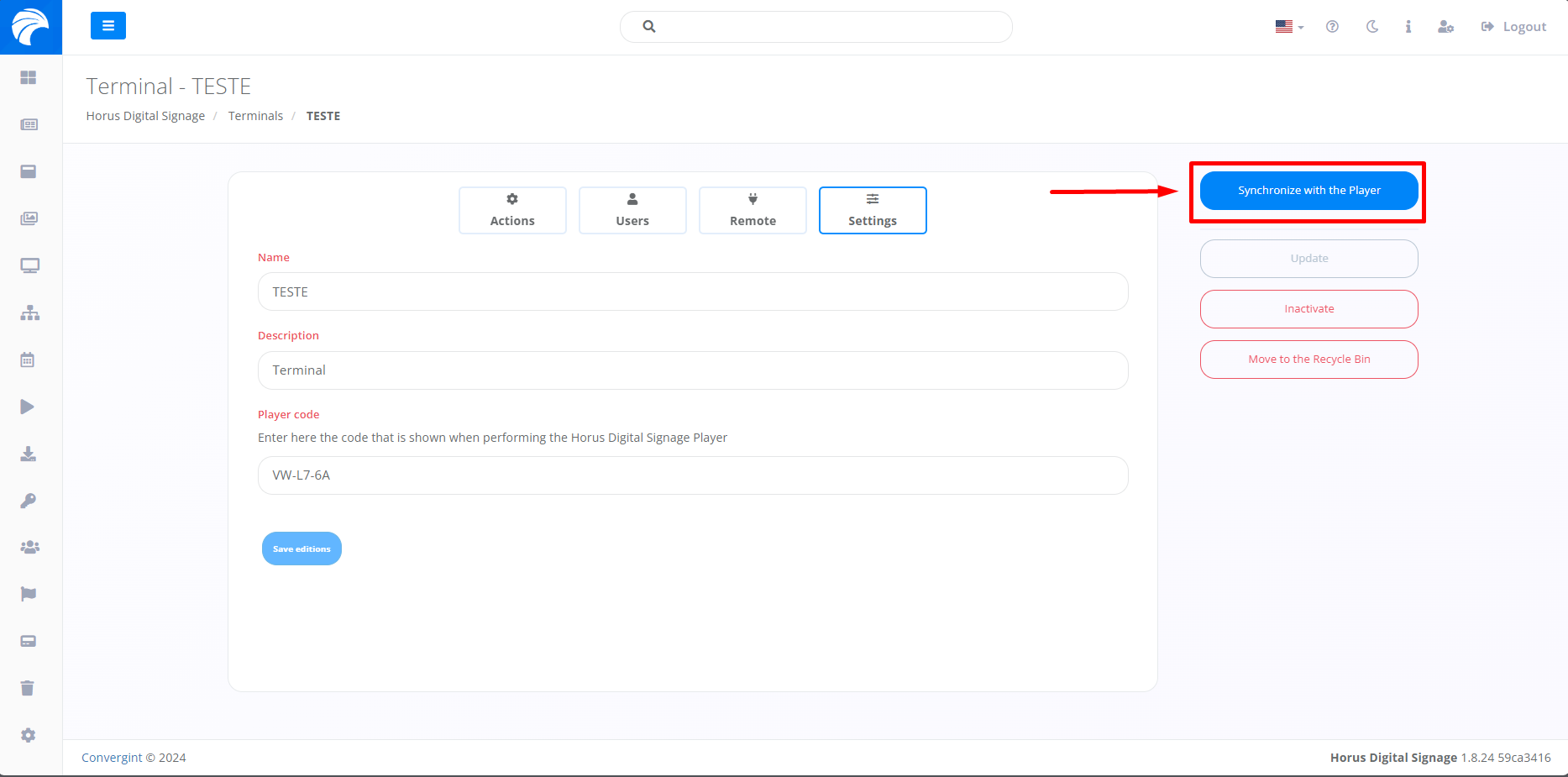
When clicking Synchronize with Player, the Slide linked to the chosen action will be displayed on the Player screen.