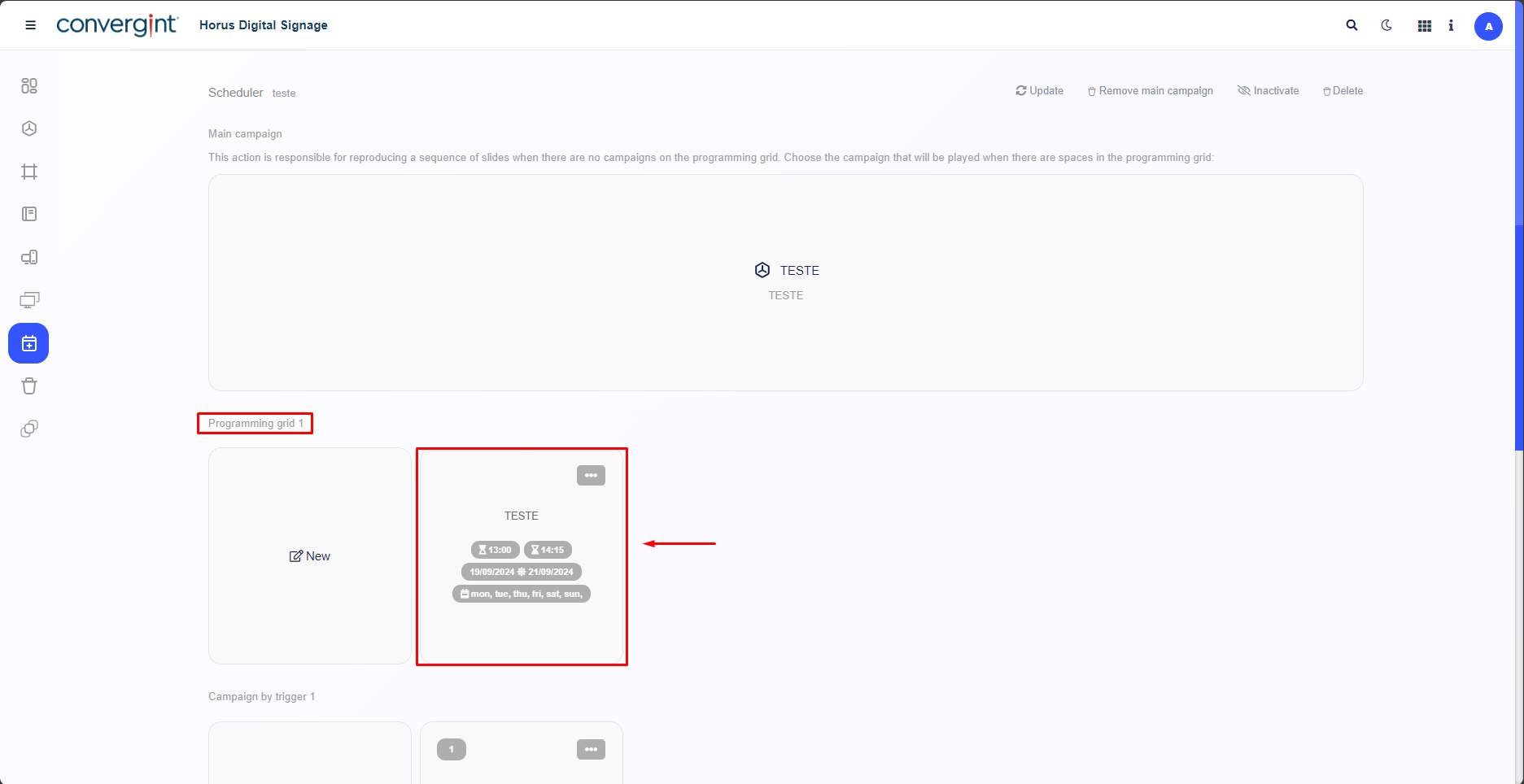
Change of Period in the Programming Grid
The first step to changing the period in the programming grid is to access the “Scheduler” tab. This function makes it possible to manage the reproduction of a sequence of Slides, offering flexibility in displaying the Slides in the period of your choice in Horus Digital Signage.
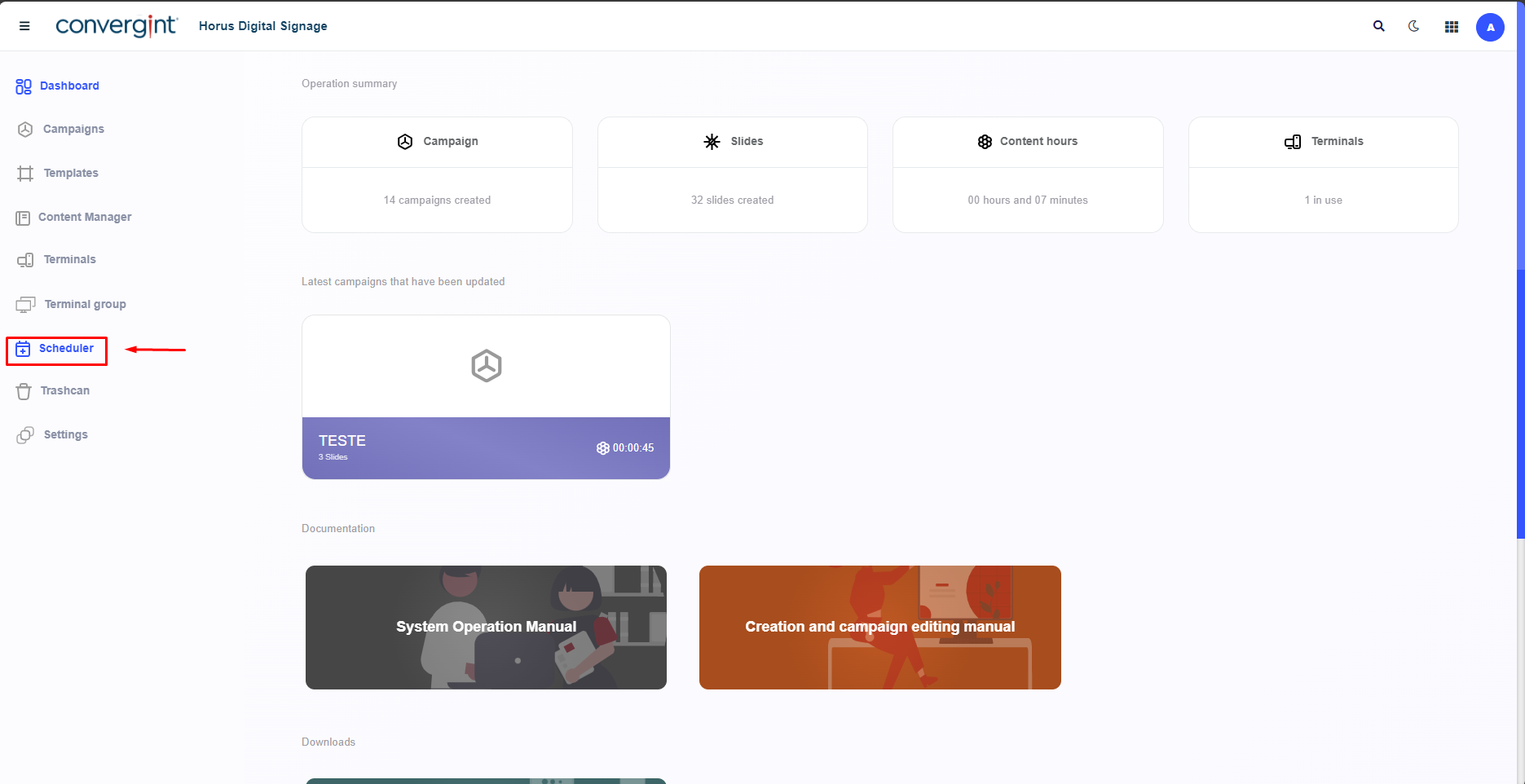
After following the steps described in the previous topics, you need to access the Scheduler you created earlier and make the necessary changes to the established periods.

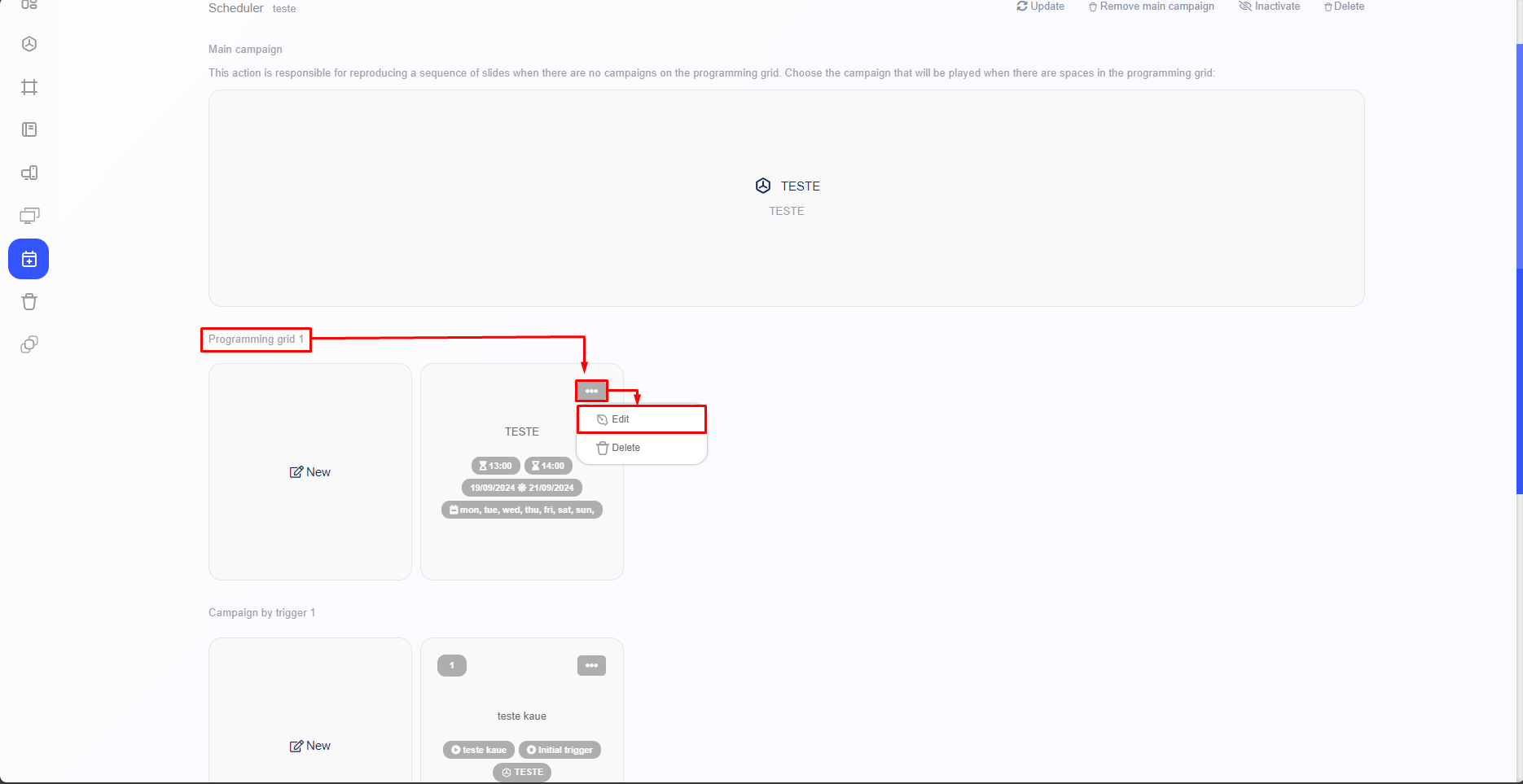
After accessing a Scheduler, the system will display the interface for adding Campaigns to the Scheduler. In this interface, it will be possible to change the periods by clicking on the “three dots” located next to the campaign in the programming grid. After clicking on the three dots, select the “Edit” option.
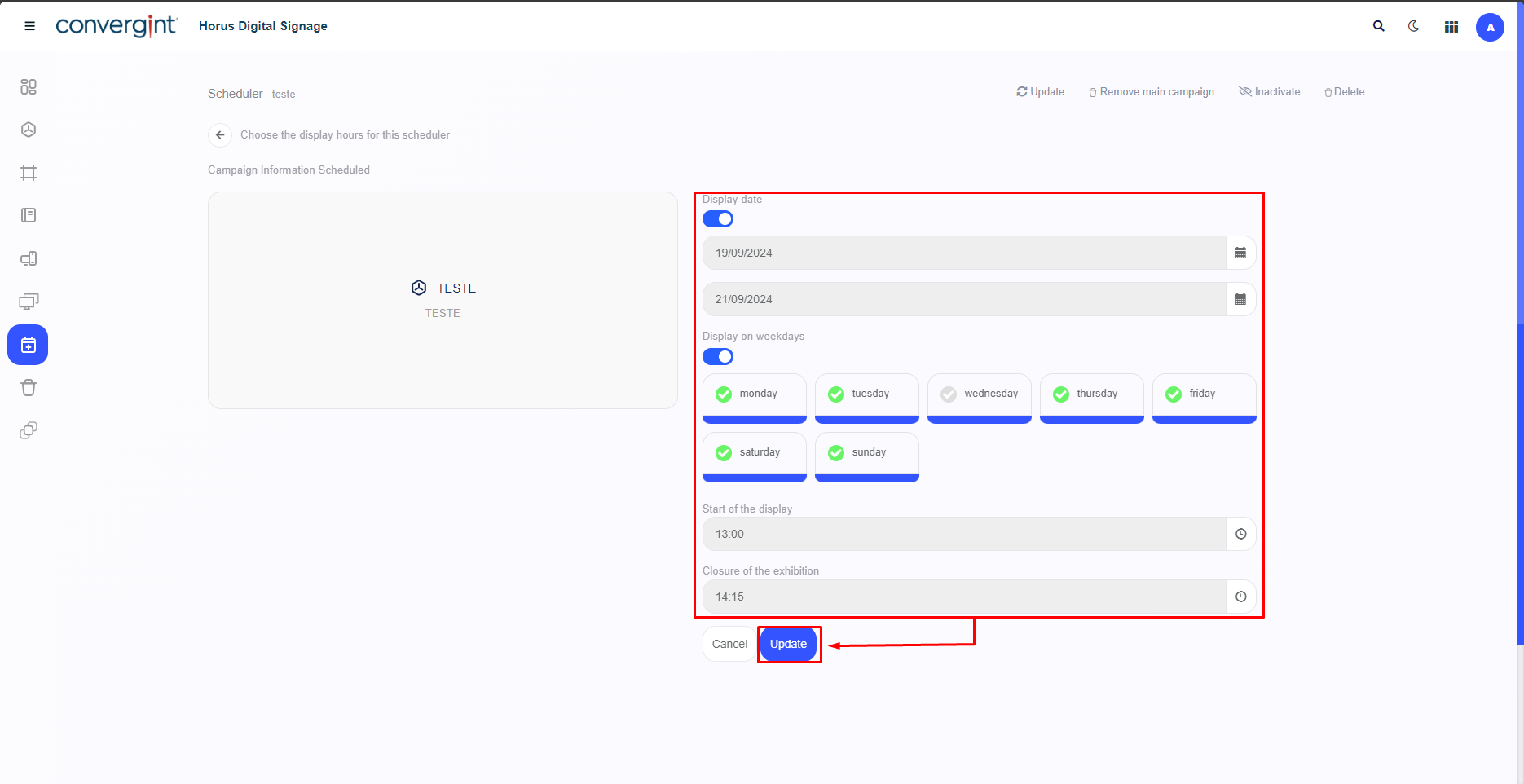
Once this is done, the screen will be displayed, offering a variety of templates that can be used to assign or change Display date and times for the chosen slide to be shown. After editing, simply click on the “Update” button to save the changes made to the display period.
When you click on “Update”, the system will recognize the update and add or change the dates and times in the programming grid.