Template Configuration
By following the steps described above and customizing according to your preference, the Template will be created. To configure a Template, click on the three dots corresponding to the previously created template.
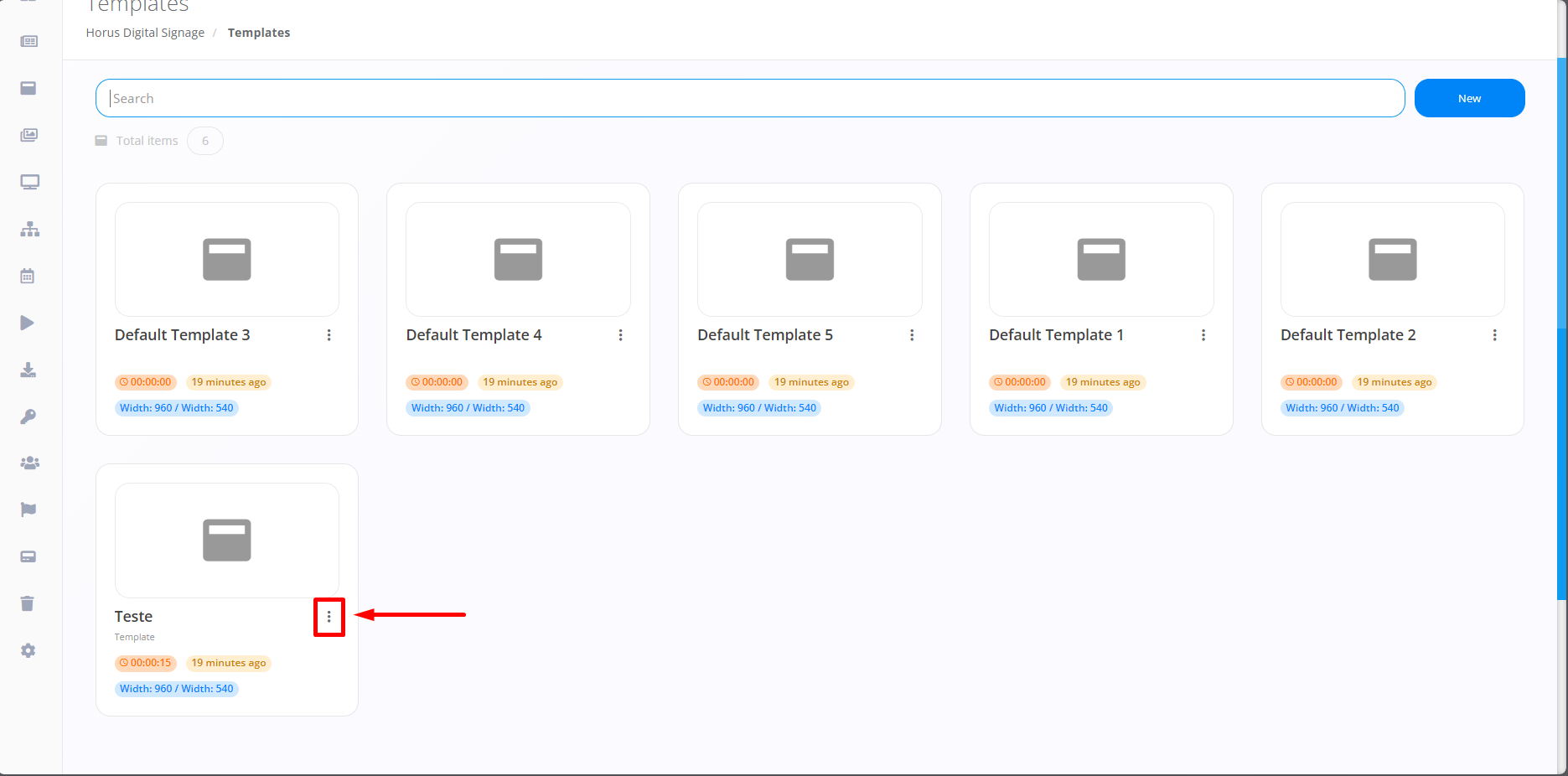
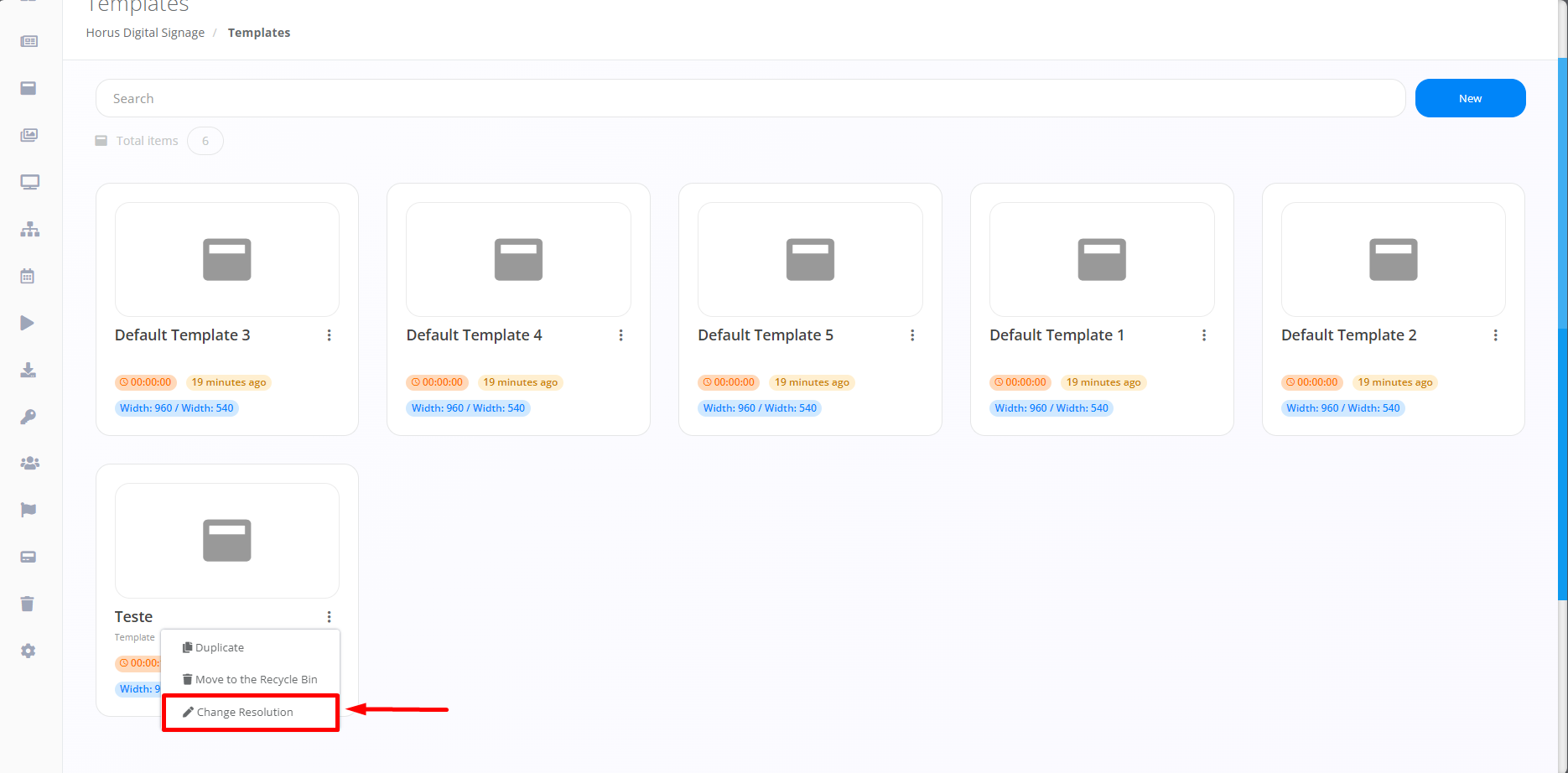
Immediately after clicking on the three points highlighted in the image above, you will need to select the “Change Resolution” option to change the desired screen aspect ratio for the specific situation.
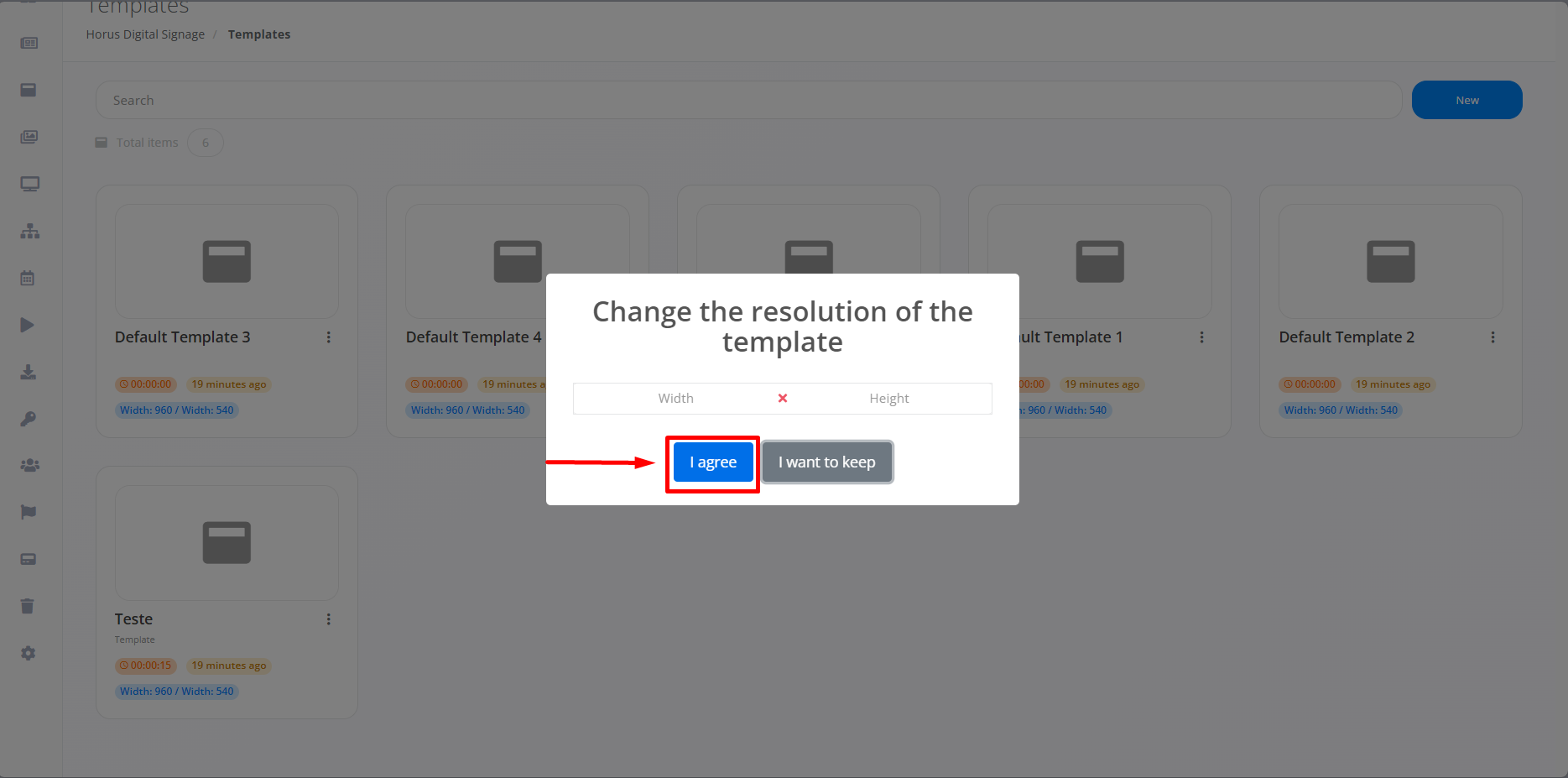
When clicking on this option, simply indicate the desired resolution and click Confirm to change the Template's aspect ratio.