Accessing and Making General Settings
The first step to access and implement the General Settings is to go to the 'Settings' tab. Within this tab, you can check functionalities that are not related to slide display, but rather to verifying previously declared data, creating user profiles and users, and the general settings of Horus Digital Signage.
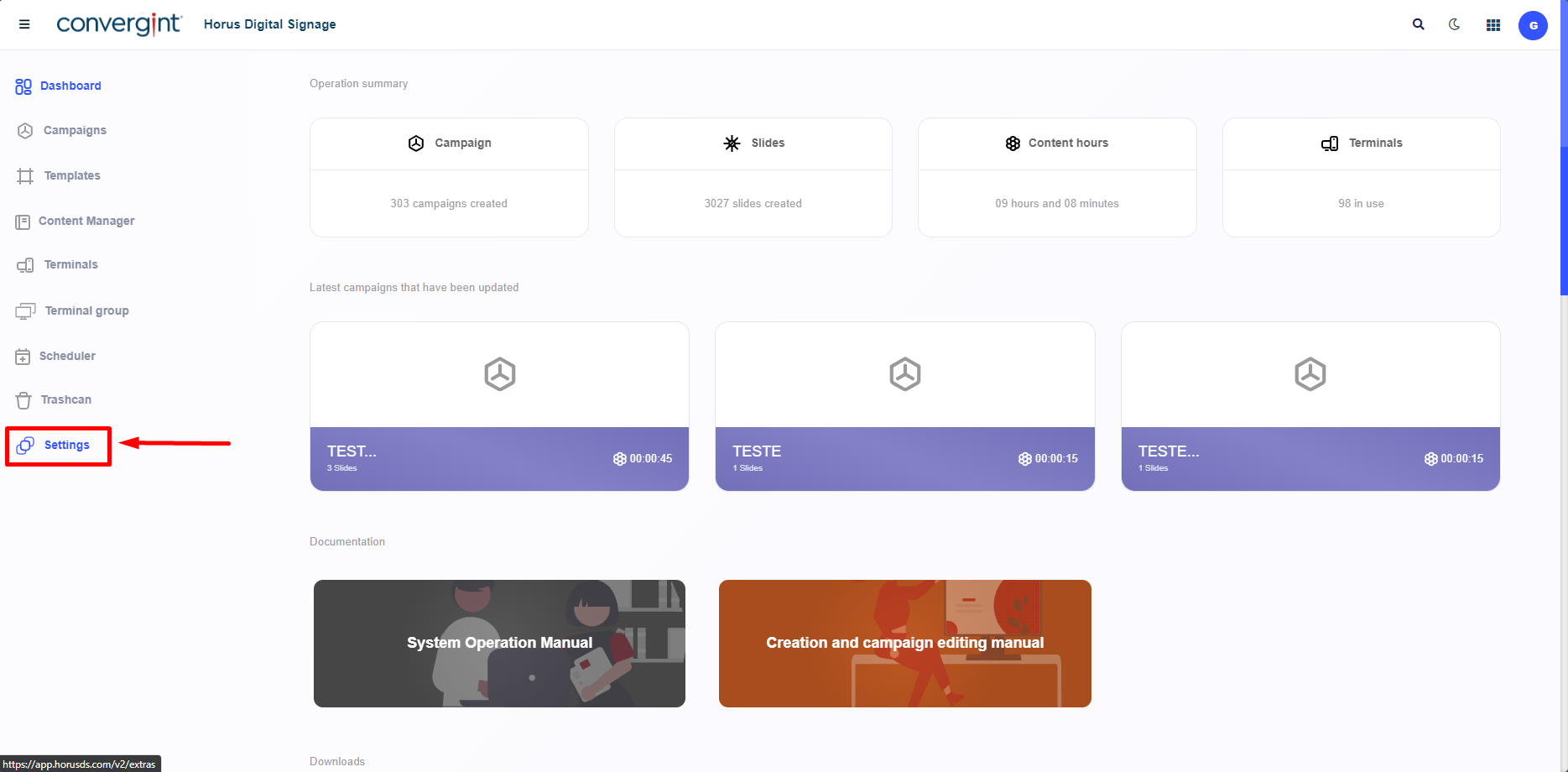
By clicking on 'Settings', you need to click on 'General Settings'. This function allows for System Configuration based on your choices, assigning necessary and additional information according to your preferences.
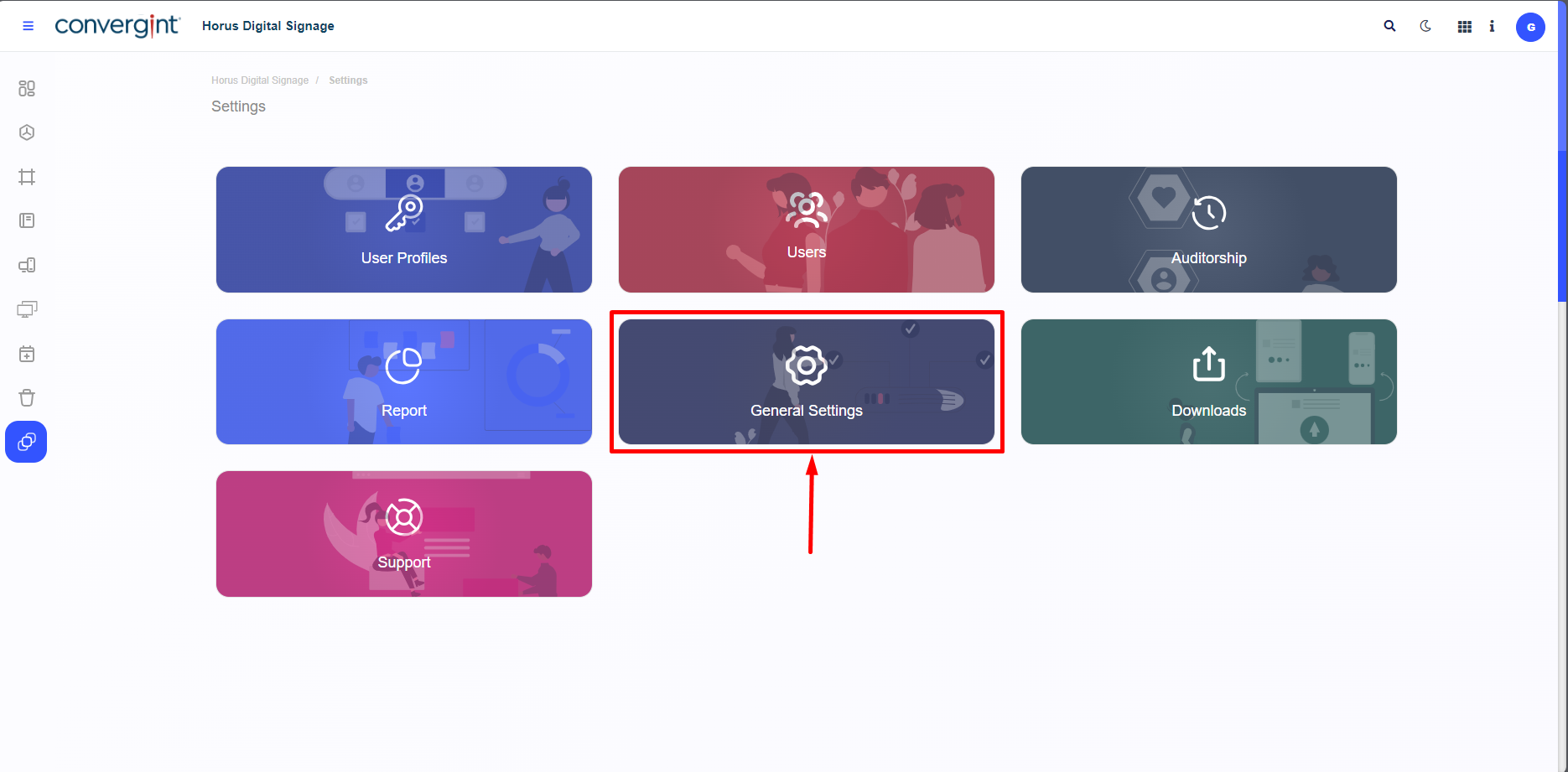
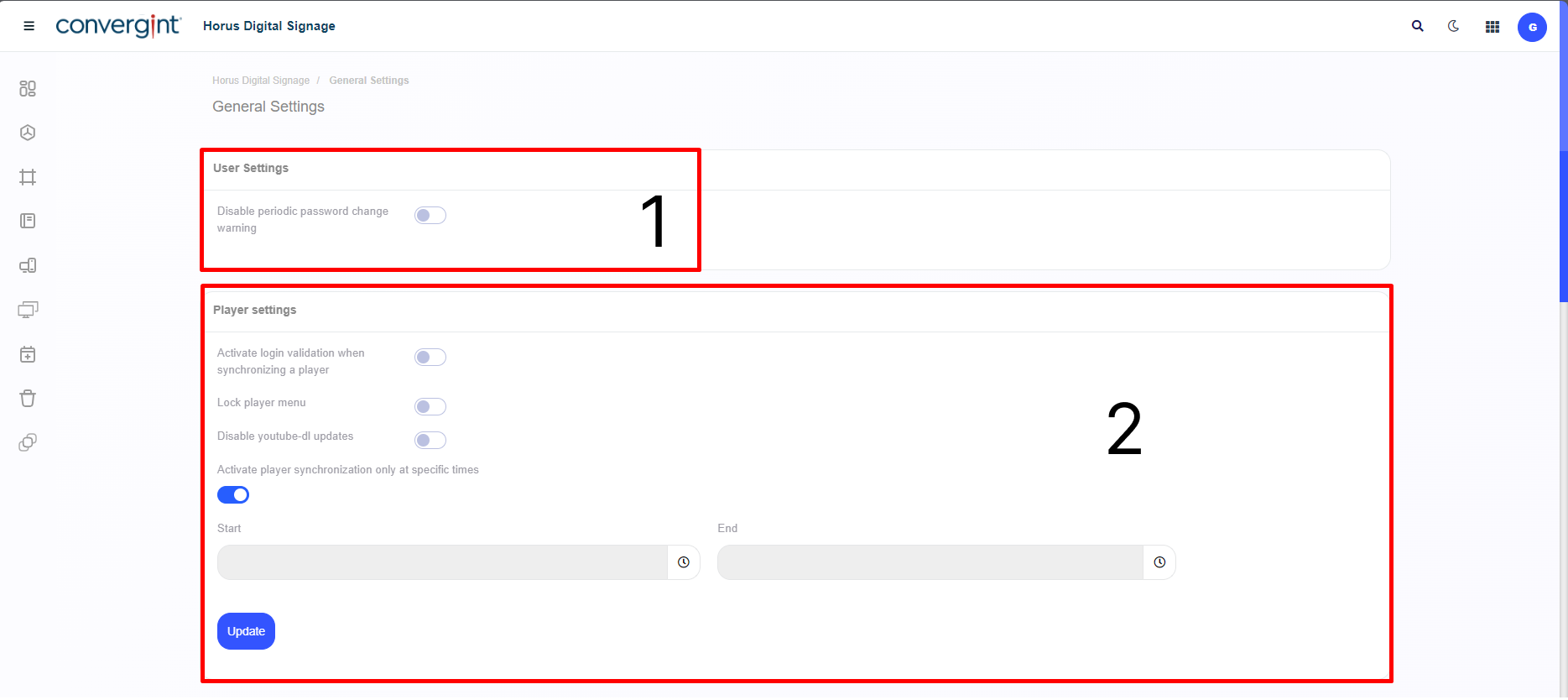
• Configurations part 1 and 2
| Item | Configuration | Function | How to Configure |
|---|---|---|---|
| 1 | User Settings | Warns or does not warn the user to change the password periodically | Activate or deactivate |
| 2 | Player Settings (1) | The system validates the User's login before allowing synchronization with the Player. | Activate or deactivate |
| 2 | Player Settings (2) | Blocks the function and display of additional options within the Player. | Activate or deactivate |
| 2 | Player Settings (3) | Prevents updating the youtube-dl component | Activate or deactivate. |
| 2 | Player Settings (4) | Set a period of your choice for the Player to synchronize. | Activate or deactivate (If you activate it, set a period of your choice, then click on "Update"). |
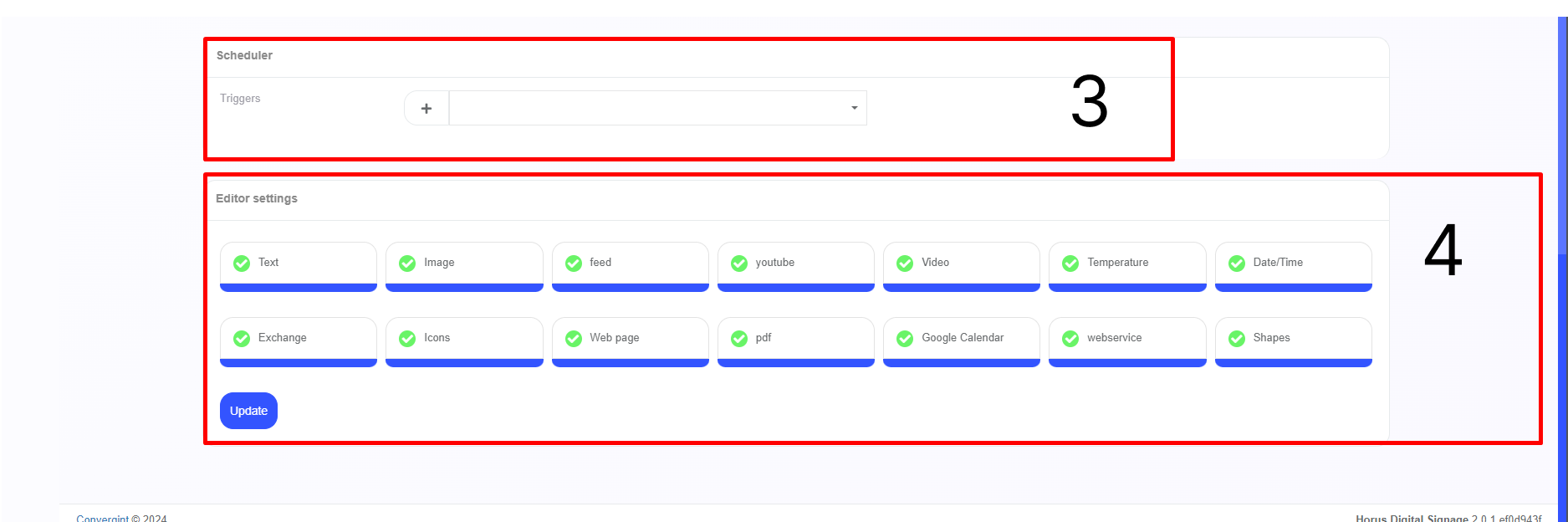
• Configurations part 3 and 4
| Item | Configuration | Function | How to Configure |
|---|---|---|---|
| 3 | Scheduler | It allows you to create new Triggers according to your preference and to select previously created Triggers. | Go to the topic "Creation triggers". |
| 4 | Editor Settings | It allows you to select the components in the editor that you want to include in the Slide. | Select the topic you want or don't want to use in the editor, then click on "Update". |