Web Player Access
The first step in accessing the Web Player is to access the "Web Player" tab. This feature makes it possible to synchronize with a Terminal without having to install Horus Player, allowing synchronization using only a web browser of your choice.
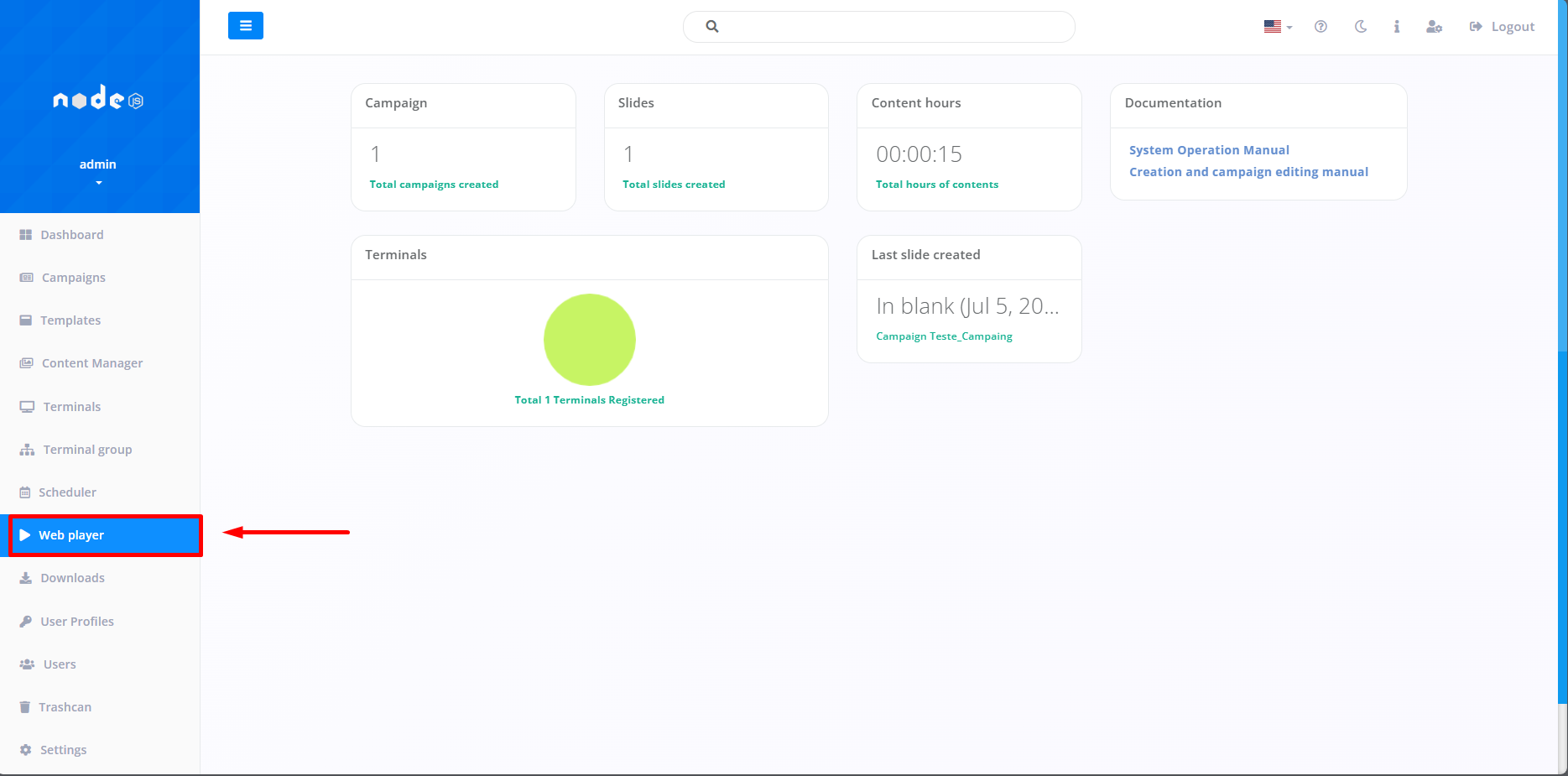
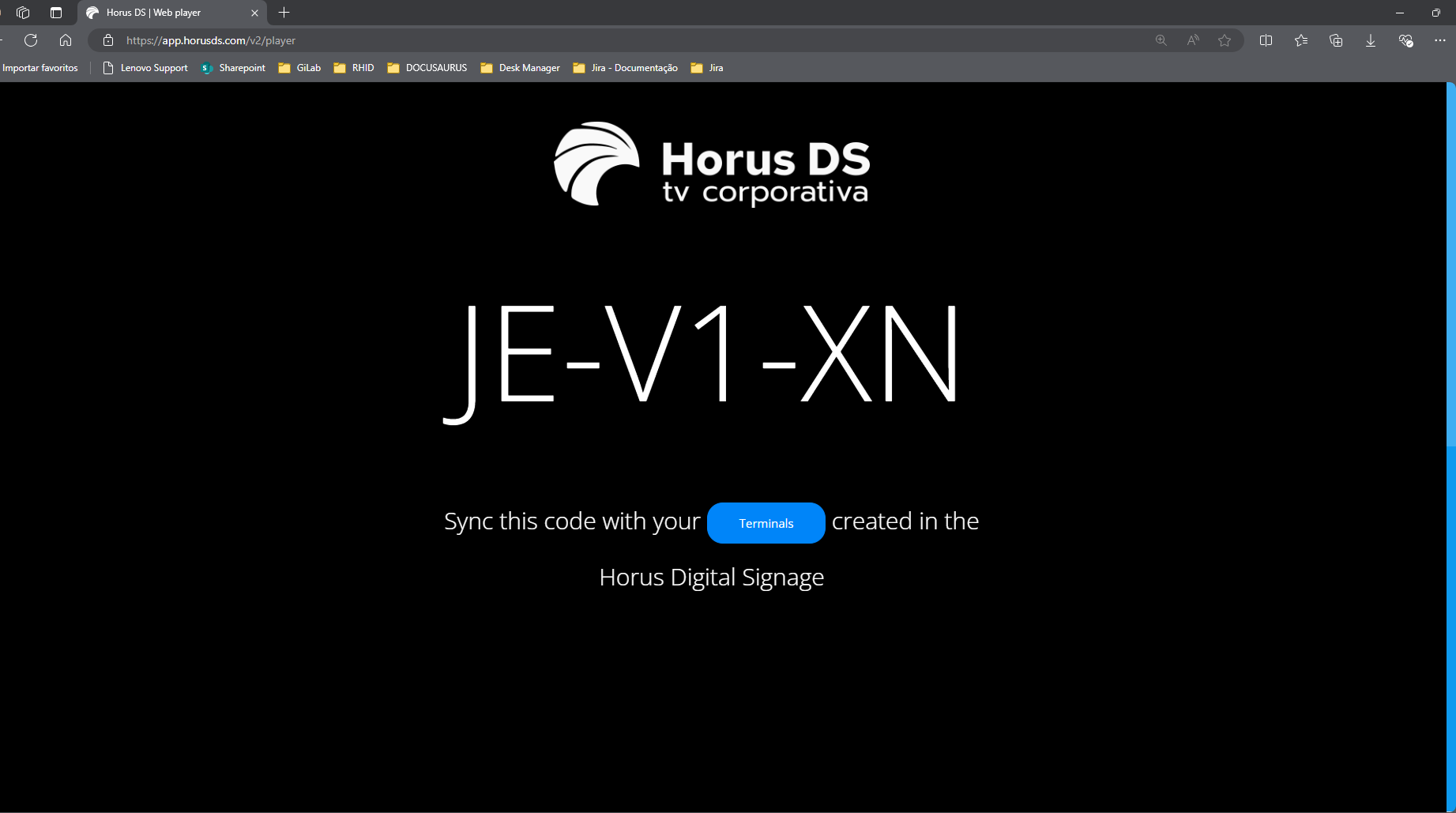
By accessing the tab, the system will take you to a screen displaying the ID of the Player, which will then be used to synchronize with the Terminal of your choice.
Note: To synchronize the Terminals with the previously installed Player, check the "Terminals" topic.