Report Verification
The first step in checking the report is to access the "Settings" tab. In this tab, you can check the functions that are not related to the slide show, but only the verification of previously declared data, the creation of user profiles and users and the general settings of Horus Digital Signage.
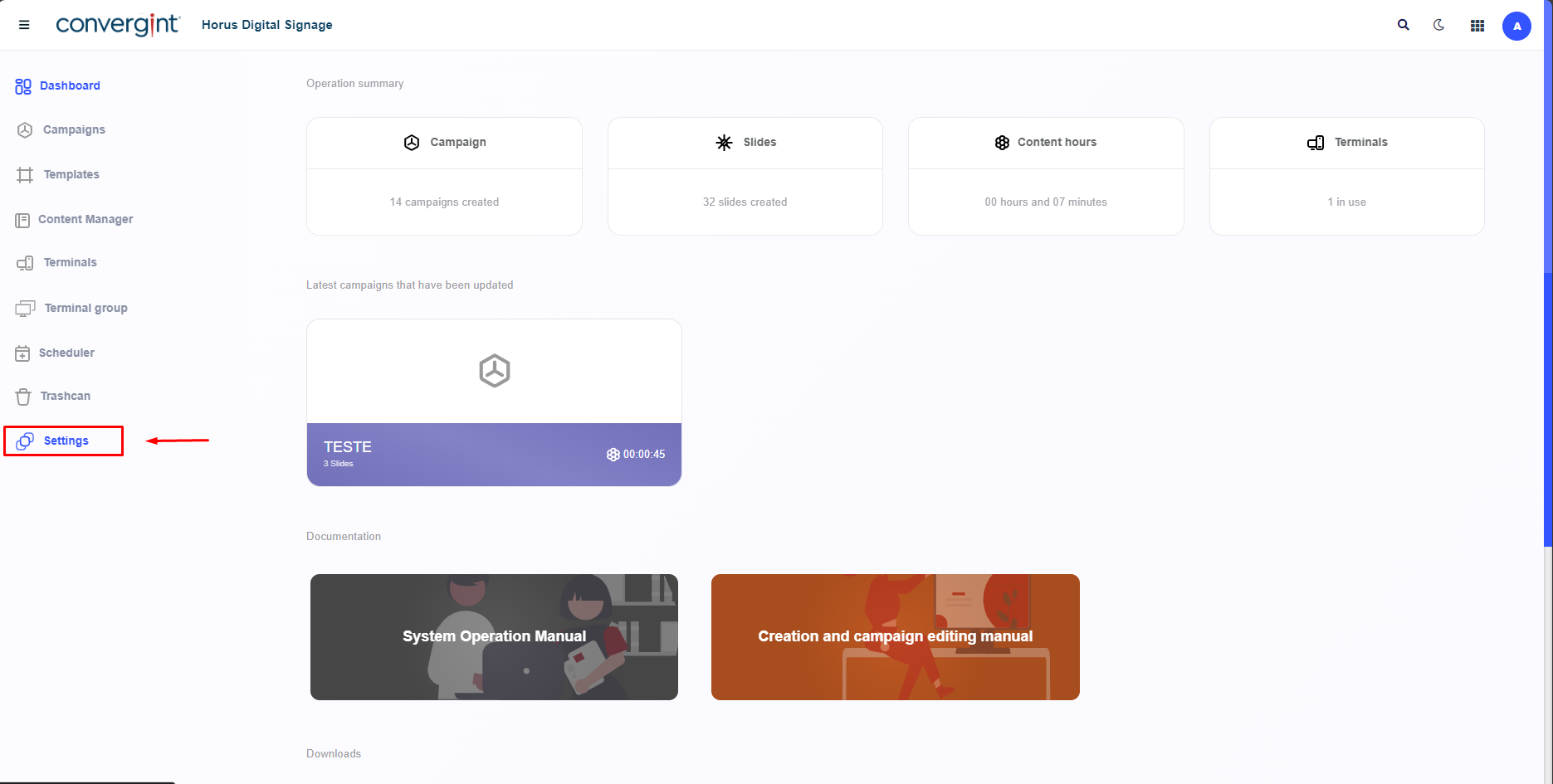
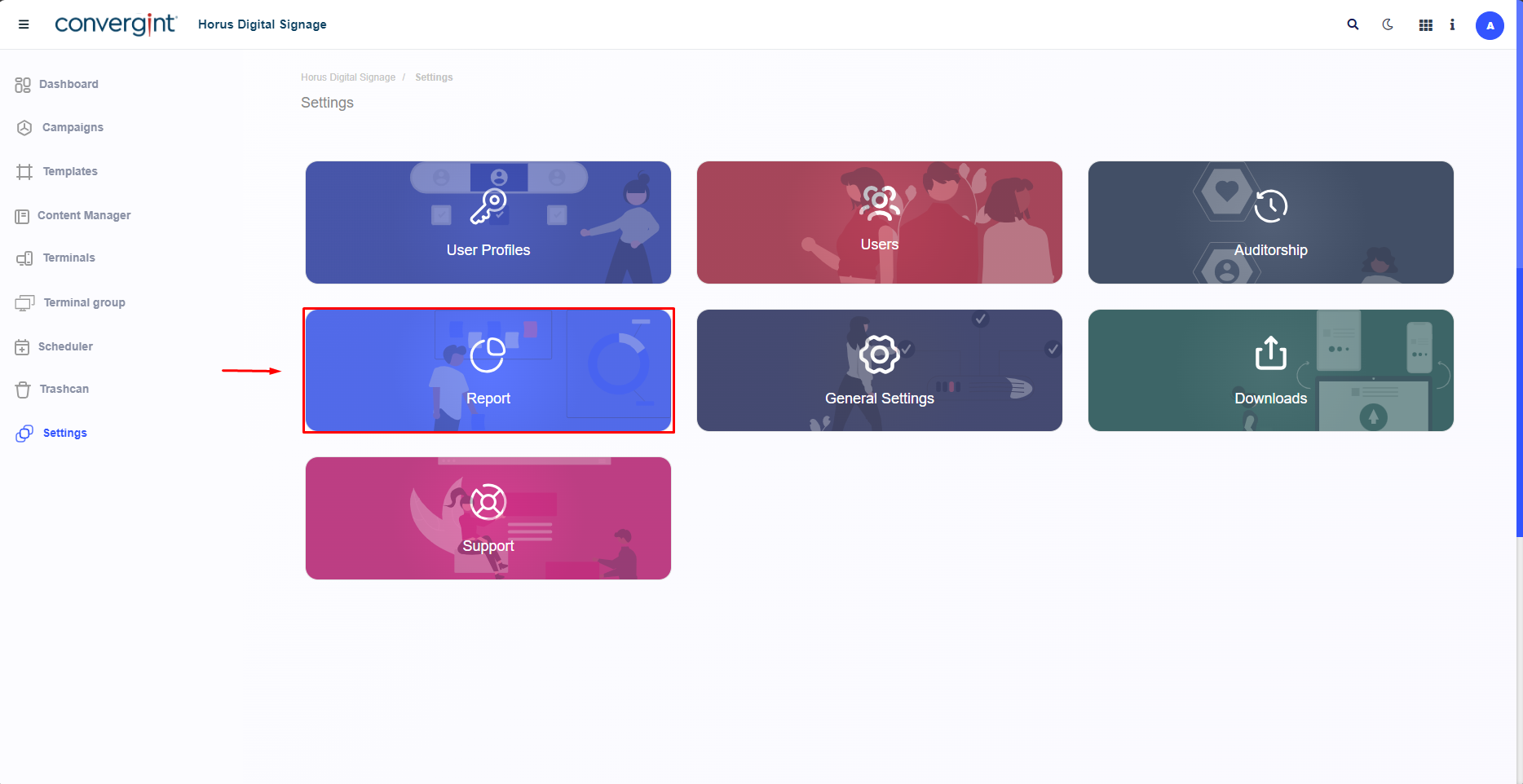
When you click on "Settings", you need to click on "Report". This function allows you to check updates and additions within the platform. It also makes it possible to check the frequency of actions related to the Trigger.
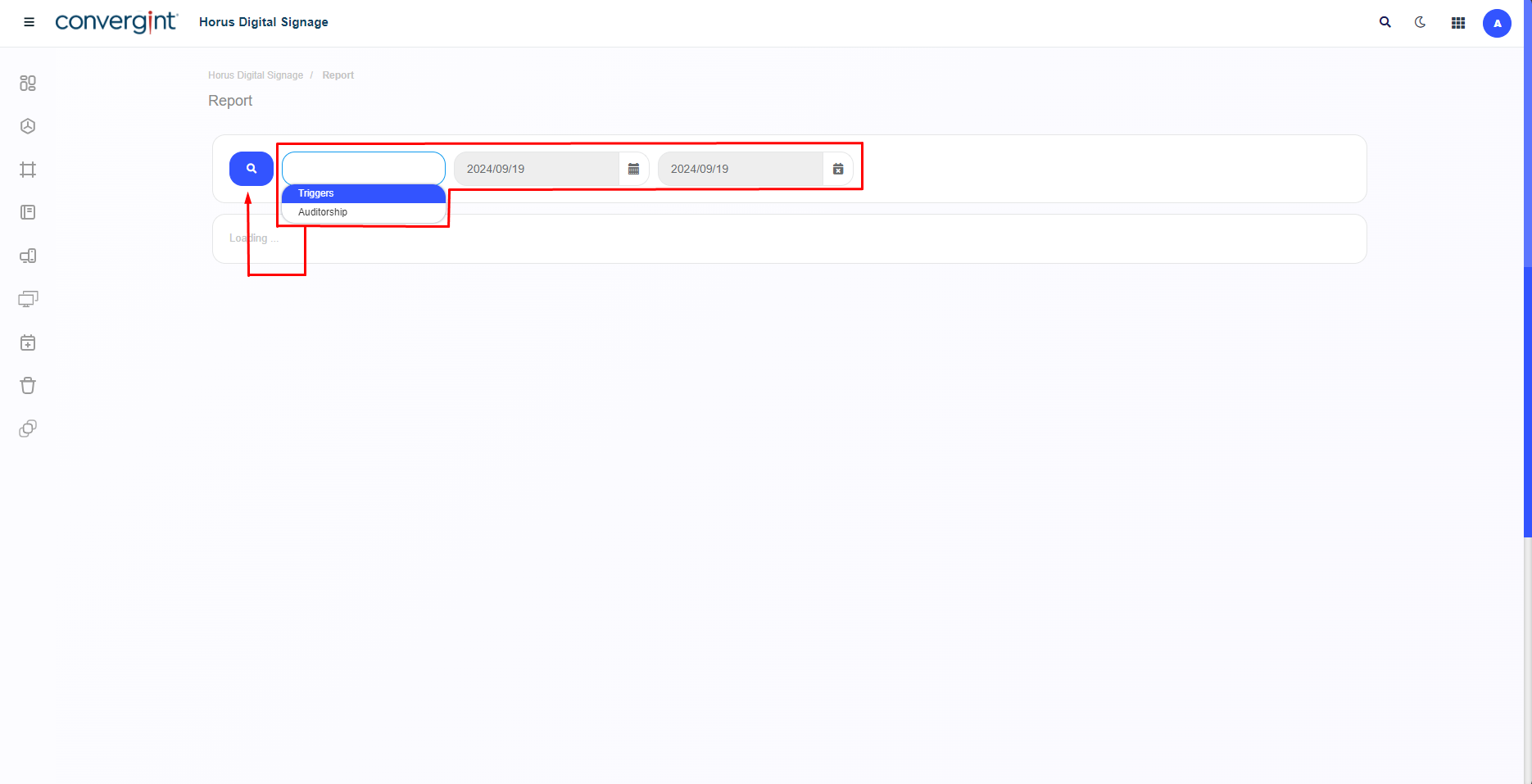
After clicking, the system will allow you to choose a check, including "Auditorship" and "Trigger", and you will be able to declare a period in which the action corresponding to the selected option was carried out. Once you have selected your preferred option and period, click on the search icon.
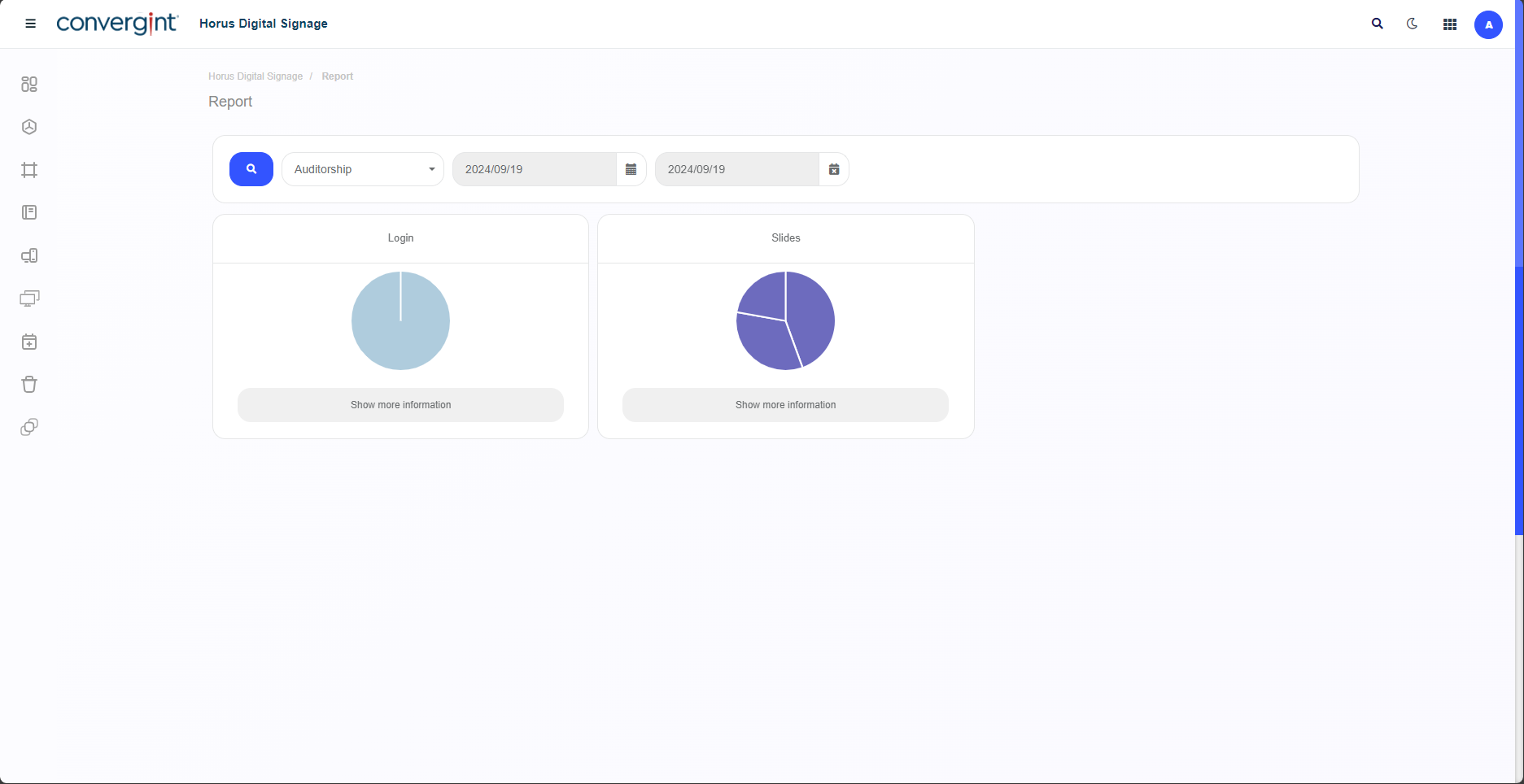
Note.: By selecting the "Auditorship" option, it becomes possible to check the updates and additions previously made to the platform for each tab, facilitating a simplified consultation of the registrations made.
Note.: By selecting the "Trigger" option, you can check the frequency of the Trigger's actions in relation to the content synchronized with the Player. This allows the performance of the Trigger to be analyzed.
(img)