Creation of a directory and a subdirectory
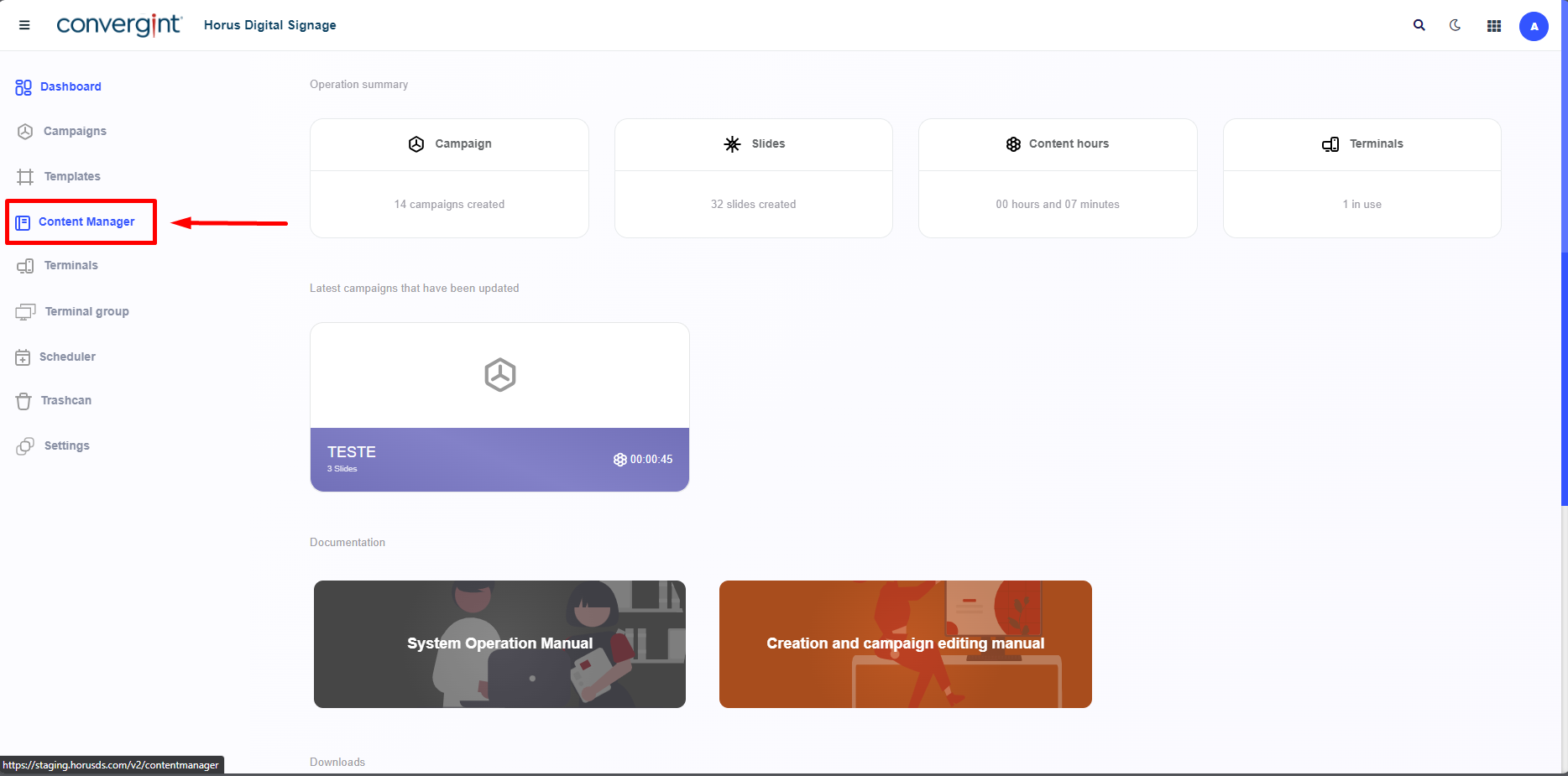
The first step for creating a directory and a subdirectory is to access the "Content Manager" tab. Within this tab, there are functions that allow for the management of media files, such as images and videos, thus facilitating the process of creating slides in Horus Digital Signage.
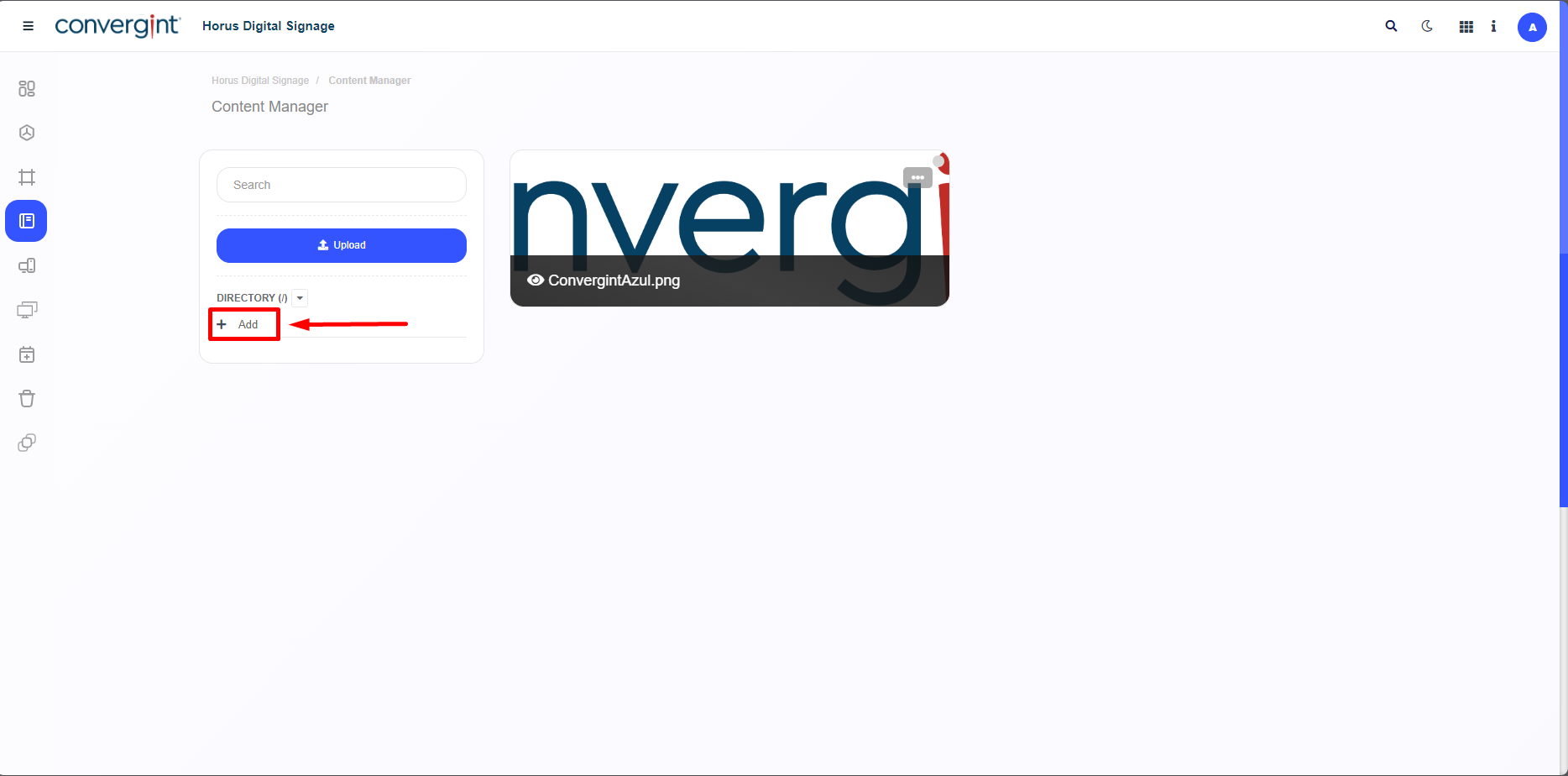
After following the previous steps, click on "Add" within the directory and choose the desired name in the Content Manager tab. This functionality allows you to store the transferred file in a specific location, facilitating the organization and subsequent addition of files to the slides that will be within the directory.
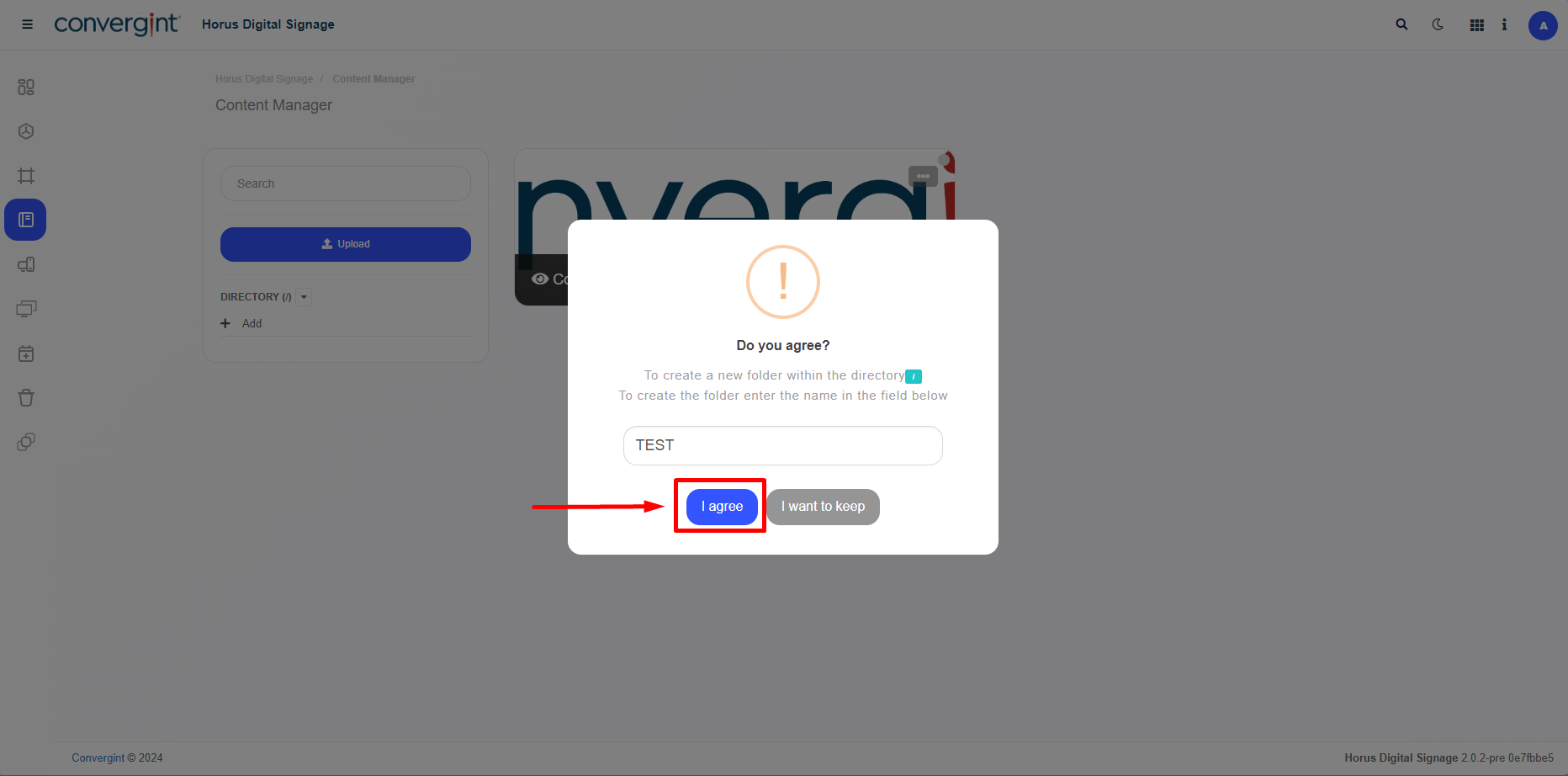
Shortly after clicking "+Add," a pop-up will appear asking you to enter a name for the directory to proceed with its creation. After typing in the desired name, click “Agree” to confirm.
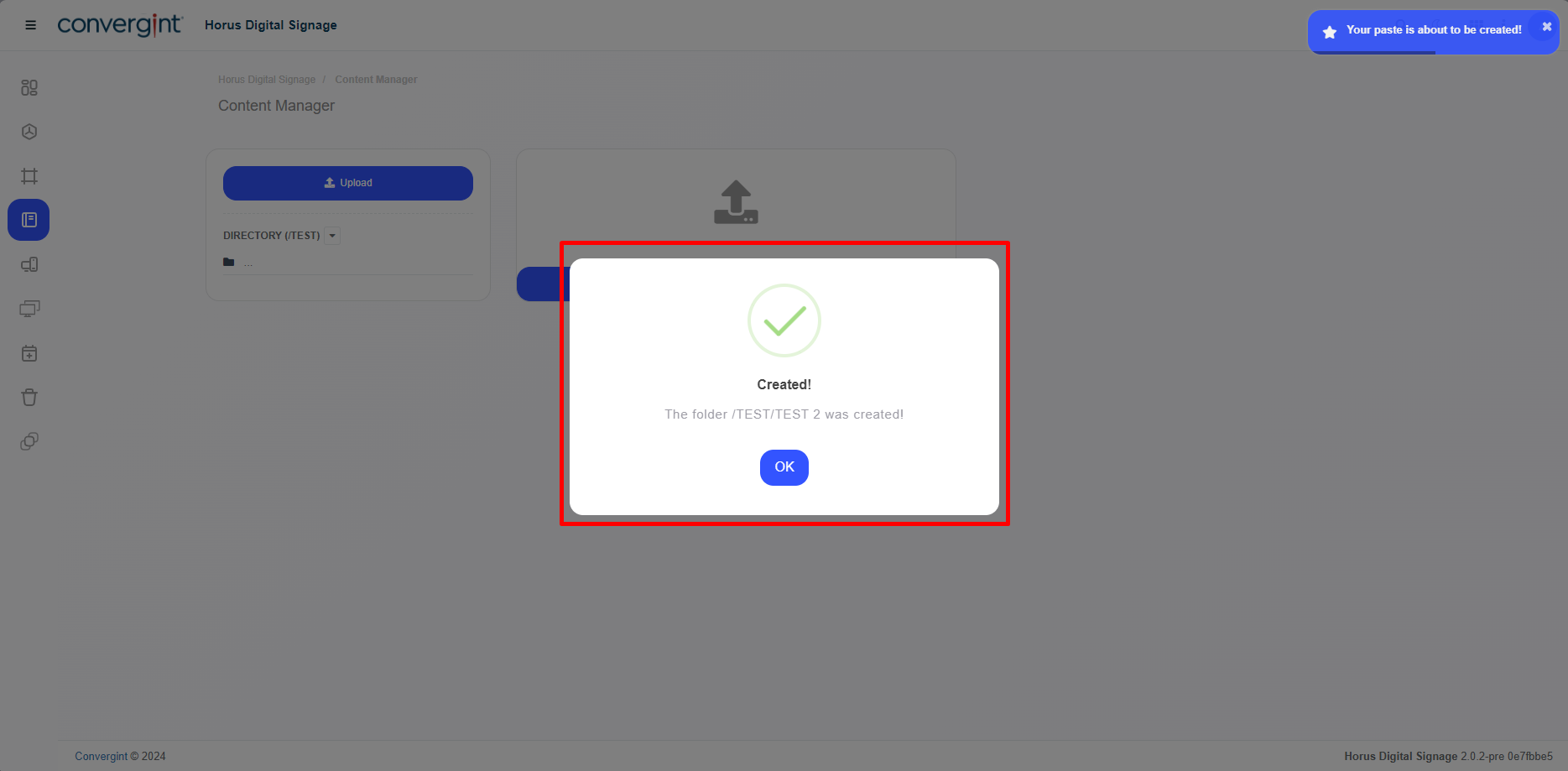
After completing the previous steps, the directory will be created.
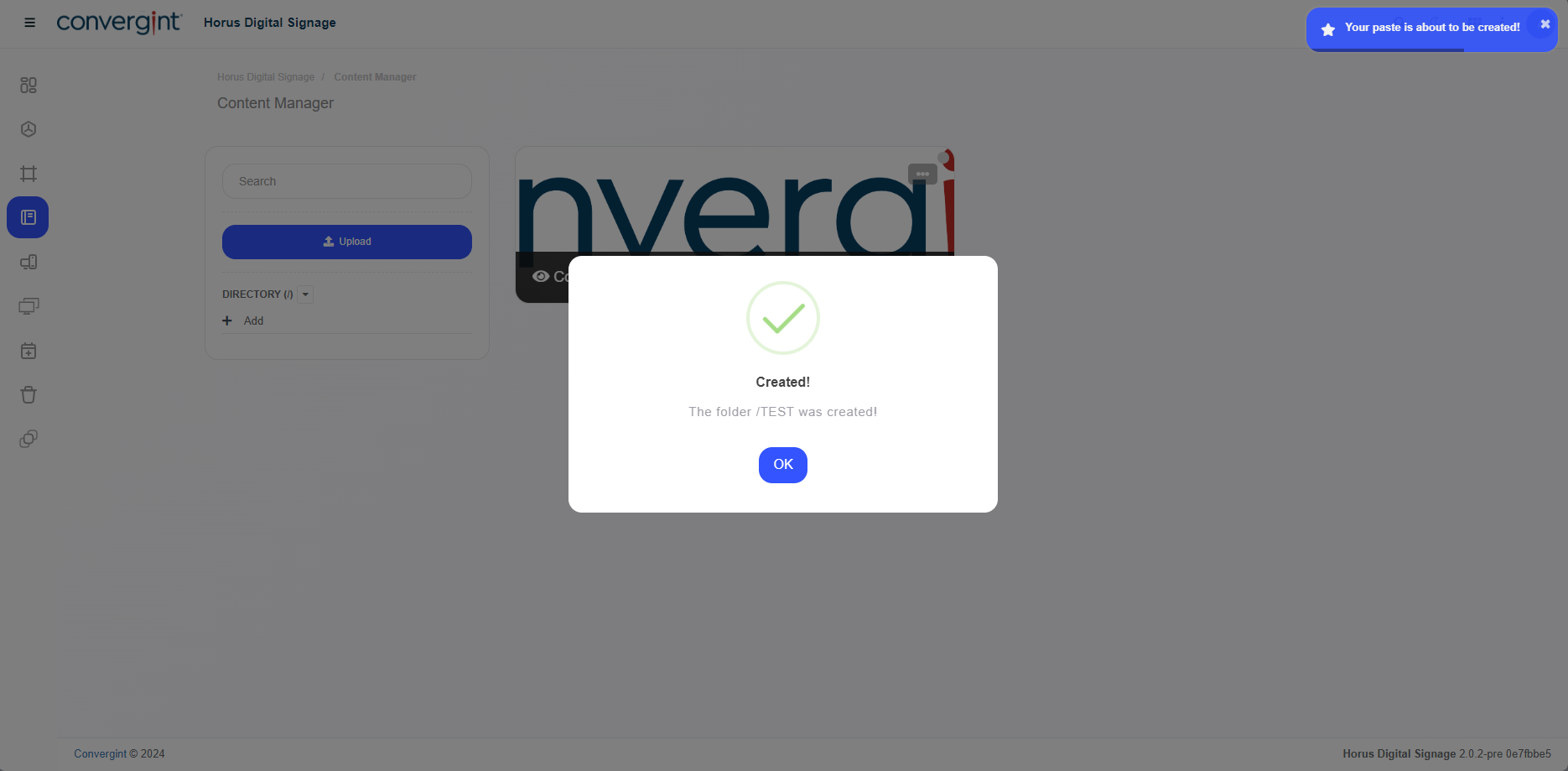
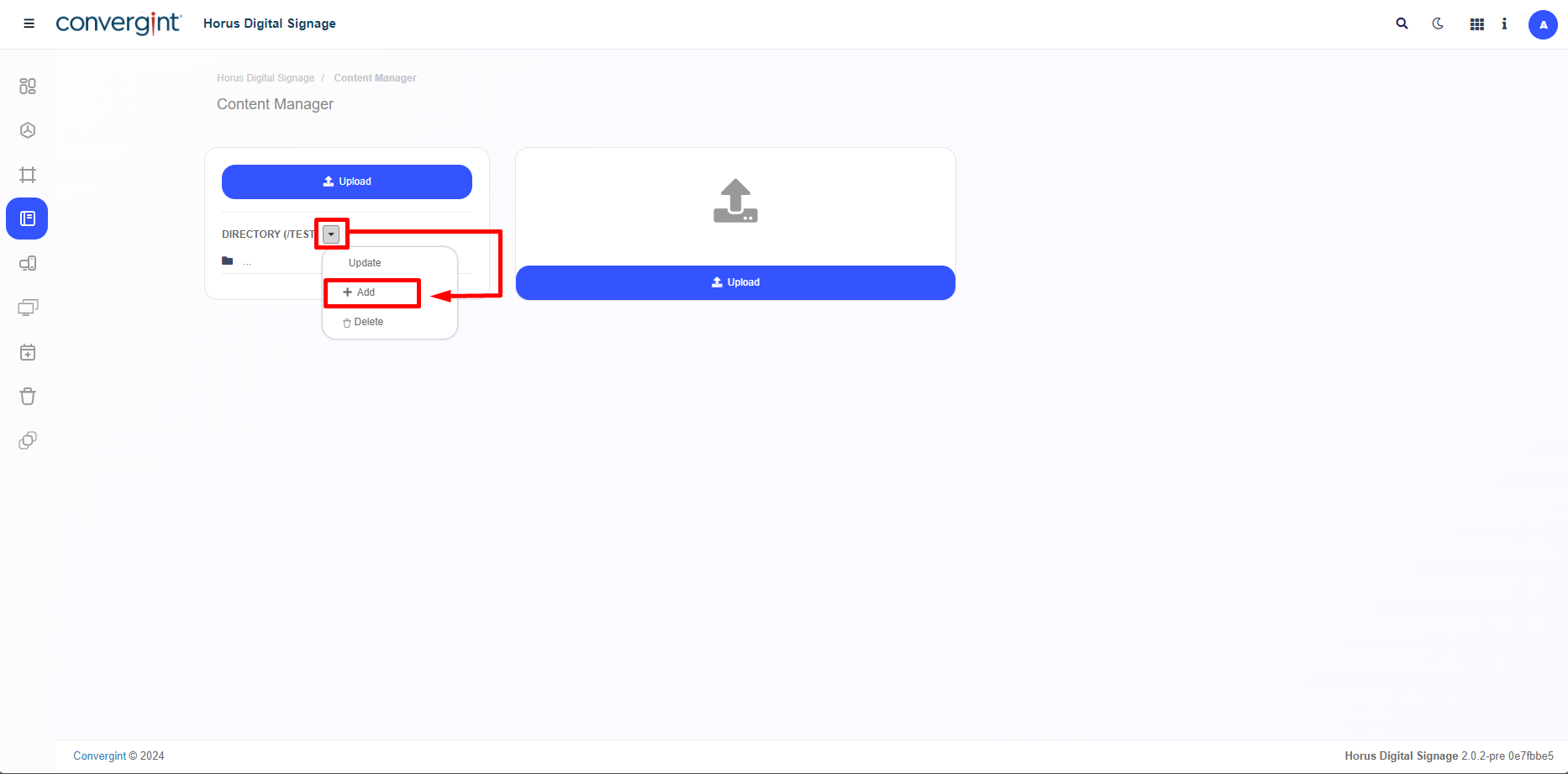
To create a subdirectory, you need to access the previously created directory and then click on "Add" to create the subdirectory. This function allows you to create a directory within another directory, which is why it is called a subdirectory.
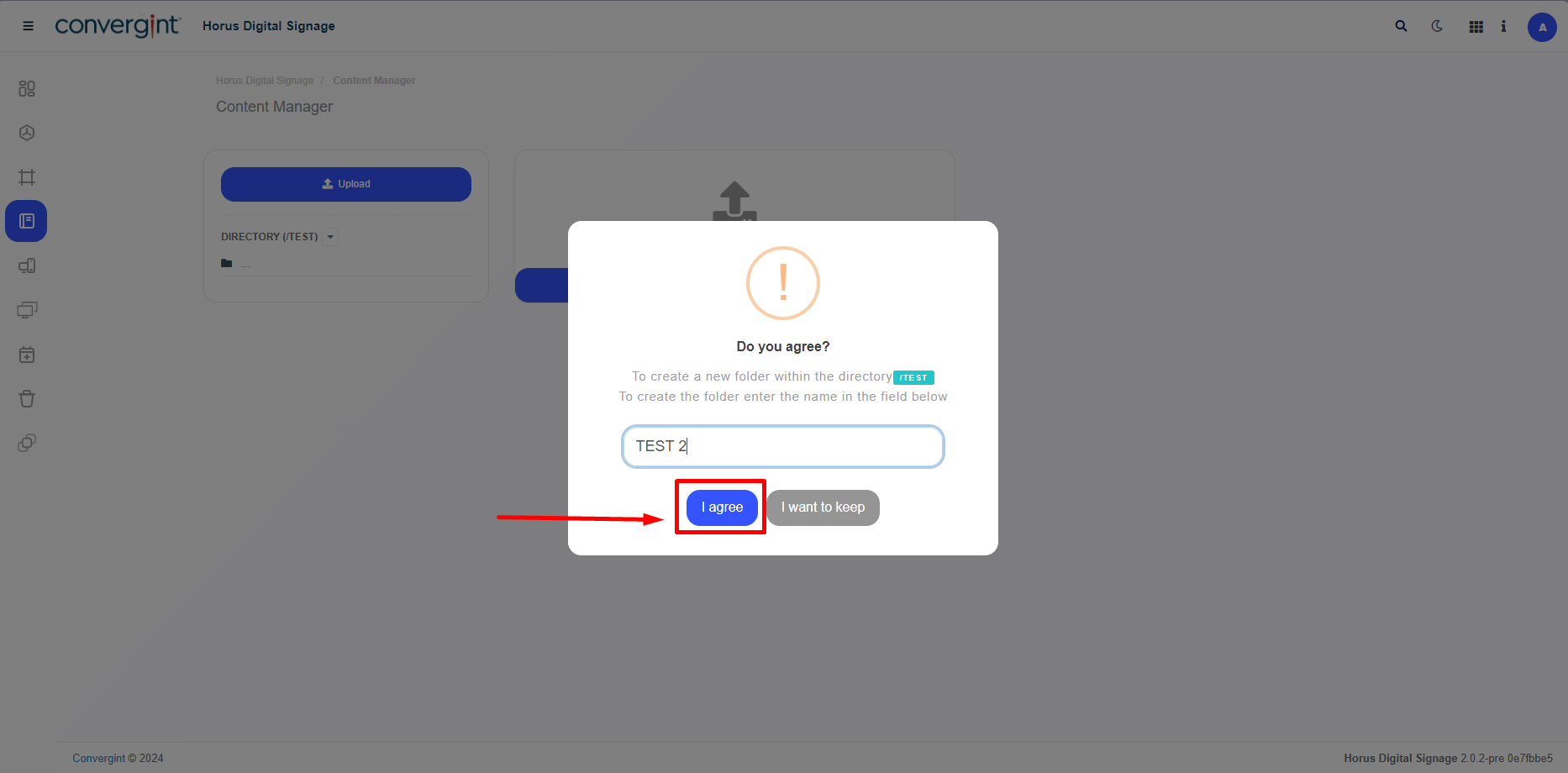
Shortly after clicking "+Add," a pop-up will appear asking you to enter a name for the subdirectory to proceed with its creation. After typing in the desired name, click “Agree” to confirm.
After completing the previous steps, the subdirectory will be created.