Inactivation of User Profiles
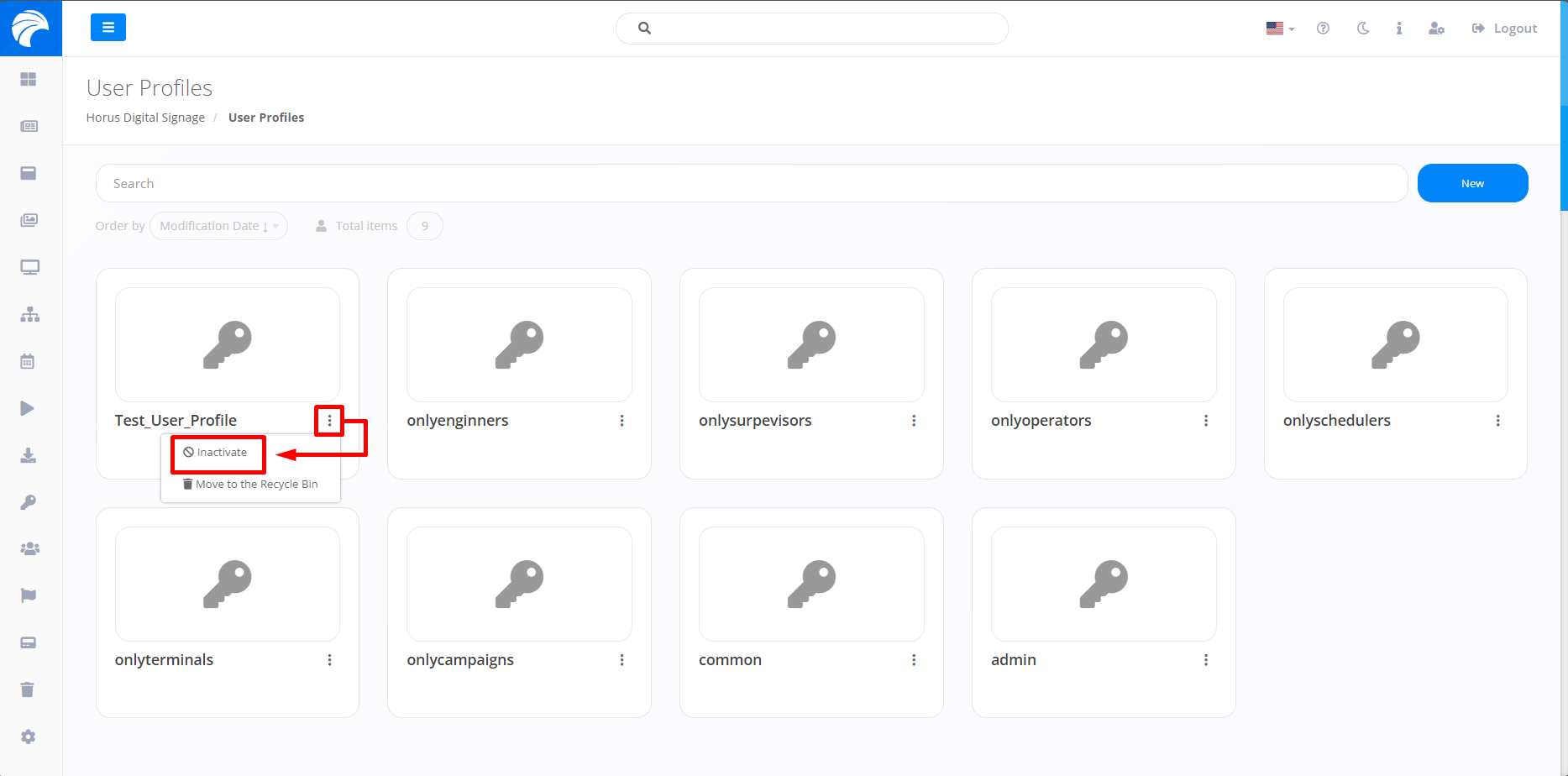
In order to inactivate User Profiles, it is necessary to access the "User profiles" tab and click on the three dots, directed to the User Profile you wish to inactivate, then click on "Inactivate".
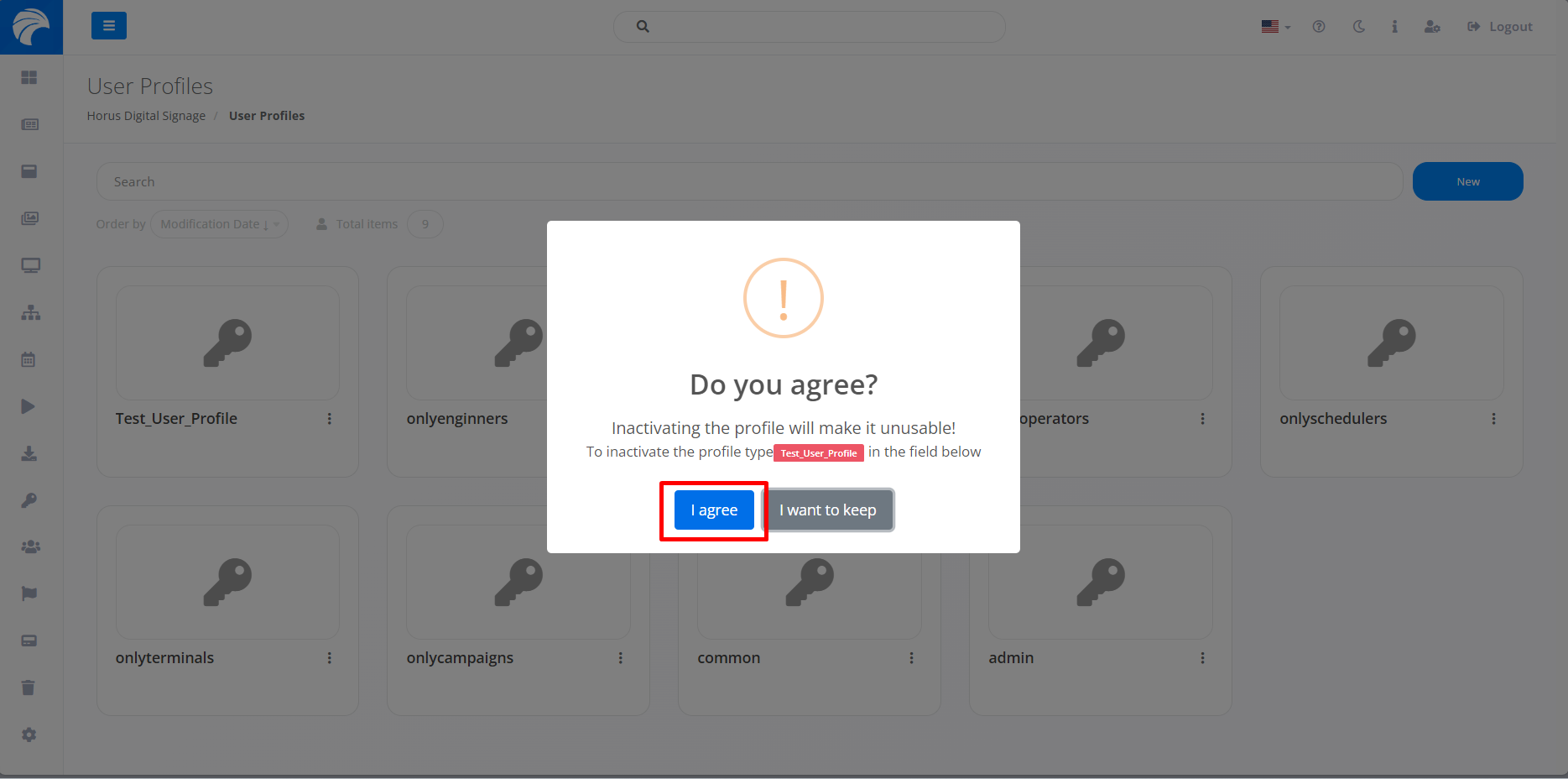
By selecting the option, a pop up will appear asking you to confirm before proceeding with the Inactivation of the User Profile. Then click on "I agree".
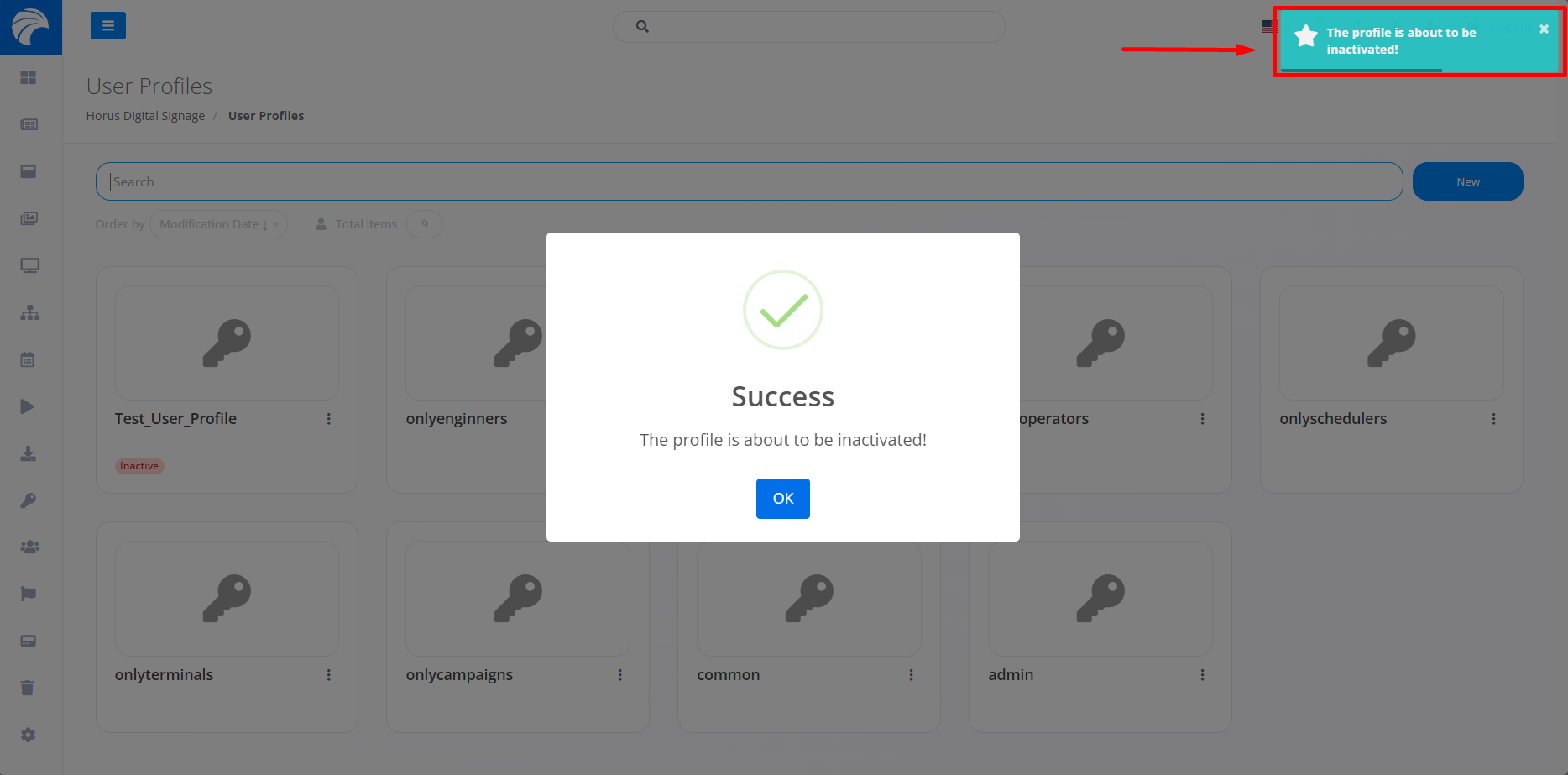
By clicking "I agree", the User Profile will be inactivated.
Note: If you want to activate the User Profile, just follow the same procedure as before